🎮 Play Star Wars Online (NES)

🎲 NEXT RANDOM GAME
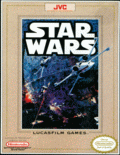
Star Wars cover art
SAVE SLOTS:

đŸ•šī¸ GAME CONTROLS

Action / ButtonKeyboard Key
D-Pad (Up / Down / Left / Right)Arrow Keys
Button AZ or J
Button BX or K
Button X / Turbo AA or U
Button Y / Turbo BS or I
SelectShift
StartEnter

💡 Tip: You can also connect any USB / Bluetooth Gamepad controller!

Game Rating & Player Reviews: ⭐ Not rated yet
–
☆☆☆☆☆
Be the first to rate
Rate this game (Click 1 to 5 stars):
★ ★ ★ ★ ★

✏️ Suggest an edit to Star Wars

🚩 Report Issue with Star Wars:

🎮 VISUAL CONTROLLER MAPPING & GAMEPAD DIAGRAM Auto-Detect: Active
L1 / LB R1 / RB SELECT START Y X A B RETRO ARCADE
Gamepad InputRetro FunctionKeyboard Key
D-Pad / AnalogCharacter Movement / Steering▲ â–ŧ ◄ â–ē
Button A (East)Primary Action / Attack / FireZ / K
Button B (South)Secondary / Jump / CancelX / J
Button X / YSpecial / Turbo / Extra FireA / S
SelectInsert Coin / Select OptionRight Shift
StartGame Start / Pause GameEnter
Game info: đŸ‘ī¸ 134 plays
Star Wars
box cover
Game title:Star Wars
Platform:NES
Author (released): Beam Software, JVC (1991)
Genre:Action, Platform, Shooter
Mode:Single-player
Game size:151 kB
Emulator Core:NES
Game Manual: 📖 Official Manual (Built-in)
Share Game:
License:Freeware / Abandonware
Available online emulators for Star Wars:

Different online emulators are available for Star Wars. Select an emulator core below for optimal performance:

Emulator Core EngineTechnologyMultiplayerGamepadTouchAdsAction / Switch
EmulatorJS (Default WebAssembly) WebAssembly / JSYESYES YESNO â–ļ ACTIVE
NES / Famicom (Recommended) WebAssembly / LibretroYESYES YESNO PLAY ⚡
Nestopia UE (Accurate) WebAssembly / LibretroYESYES YESNO PLAY ⚡
Game description:

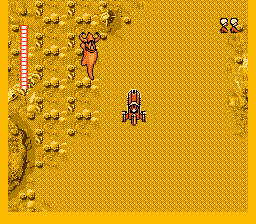
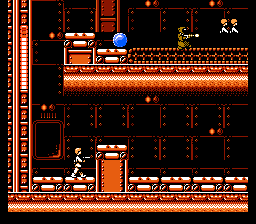
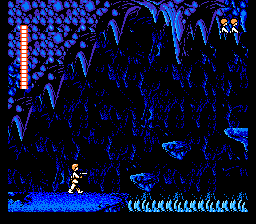
Star Wars on the NES, developed by Beam Software and released in 1991, translates the original film into a notoriously challenging action-platformer. Players guide Luke Skywalker through key moments of A New Hope, from navigating the treacherous caves of Tatooine to infiltrating the Death Star and surviving the climactic trench run in an X-Wing. The game demands careful maneuvering and precise jumps, blending open-ended exploration with side-scrolling shooting.

How to play

Your objective is to progress through the story by exploring Tatooine to assemble your crew, finding Obi-Wan Kenobi, and eventually destroying the Death Star. In the browser, use the Arrow Keys to move and aim. Press Z to shoot or swing your lightsaber (B button), and X to jump (A button). Use Enter for Start to pause the game and access the character menu, and Shift for Select.

Tips

  • Grind for shields: Enemies frequently drop shield power-ups and health. It is highly recommended to farm these in the early Tatooine caves to build up your defenses before facing the harder stages.
  • Character switching: Once you rescue Han Solo and Princess Leia, you can switch to them from the pause menu. They act as valuable extra lives, each with their own health bar and distinct blaster.
  • Deflecting shots: After Obi-Wan gives you the lightsaber, use it to deflect enemy blaster bolts back at them. This is especially useful against Stormtroopers and Sand People.
Screenshots:
Star Wars Screenshot
Player Comments & Discussion: 0 Comments

Leave a Comment / Review:

No comments yet. Be the first gamer to sign the guestbook!