🎮 Play Solomon’s Key Online (NES)

🎲 NEXT RANDOM GAME
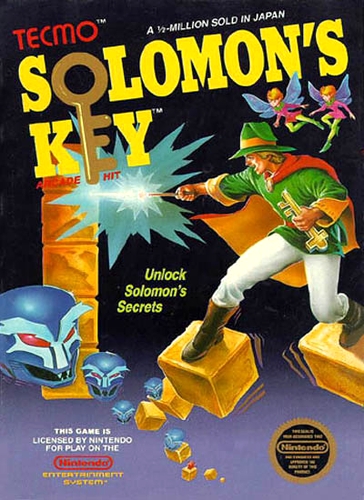
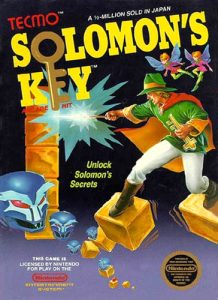
Solomon’s Key cover art
SAVE SLOTS:

🕹️ GAME CONTROLS

Action / ButtonKeyboard Key
D-Pad (Up / Down / Left / Right)Arrow Keys
Button AZ or J
Button BX or K
Button X / Turbo AA or U
Button Y / Turbo BS or I
SelectShift
StartEnter

💡 Tip: You can also connect any USB / Bluetooth Gamepad controller!

Game Rating & Player Reviews: ⭐ Not rated yet
☆☆☆☆☆
Be the first to rate
Rate this game (Click 1 to 5 stars):

✏️ Suggest an edit to Solomon’s Key

🚩 Report Issue with Solomon’s Key:

🎮 VISUAL CONTROLLER MAPPING & GAMEPAD DIAGRAM Auto-Detect: Active
L1 / LB R1 / RB SELECT START Y X A B RETRO ARCADE
Gamepad InputRetro FunctionKeyboard Key
D-Pad / AnalogCharacter Movement / Steering
Button A (East)Primary Action / Attack / FireZ / K
Button B (South)Secondary / Jump / CancelX / J
Button X / YSpecial / Turbo / Extra FireA / S
SelectInsert Coin / Select OptionRight Shift
StartGame Start / Pause GameEnter
Game info: 👁️ 119 plays
Solomon’s Key
box cover
Game title:Solomon’s Key
Platform:NES
Author (released): Tecmo, Ltd. (1986)
Genre:Action, Puzzle, Platform
Mode:Single-player
Game size:64 kB
Emulator Core:NES
Game Manual: 📖 Official Manual (Built-in)
Share Game:
License:Freeware / Abandonware
Available online emulators for Solomon’s Key:

Different online emulators are available for Solomon’s Key. Select an emulator core below for optimal performance:

Emulator Core EngineTechnologyMultiplayerGamepadTouchAdsAction / Switch
EmulatorJS (Default WebAssembly) WebAssembly / JSYESYES YESNO ▶ ACTIVE
NES / Famicom (Recommended) WebAssembly / LibretroYESYES YESNO PLAY ⚡
Nestopia UE (Accurate) WebAssembly / LibretroYESYES YESNO PLAY ⚡
Game description:

Solomon’s Key is a 1986 action-puzzle game developed and published by Tecmo for the NES, adapted from their arcade original. You play as Dana, a young sorcerer working through 50 increasingly elaborate rooms — each one a closed puzzle you must solve before the timer expires.

How to Play

Your goal in every room is to find the hidden key and carry it to the glowing exit door. Dana’s core ability is conjuring and erasing solid magic bricks: press B (Z on keyboard) while facing any direction to place a brick directly in front of you, and press it again to remove it. You use these bricks to build platforms, reach high ledges, and block enemies. An enemy caught in the space where you create a brick is crushed and eliminated — often the cleanest way to clear a path. A countdown timer runs continuously; if it hits zero you lose a life and restart the room from scratch.

Controls

Gamepad control:

Player 1:

Player 2:


A X
B Z

SELECT

Shift


START

Enter

Tips

  • Pause and map the room mentally before moving — enemies begin tracking Dana the instant the room starts, and a hasty first move often cuts off the route you actually need.
  • Brick-crushing enemies is far more reliable than waiting for a fireball scroll; create a brick on top of a stationary enemy to eliminate it cleanly.
  • Bells scattered around rooms award bonus lives — collect them whenever you safely can, since the later rooms are unforgiving.
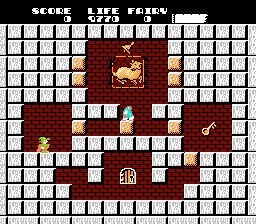
Screenshots:
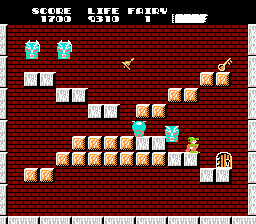
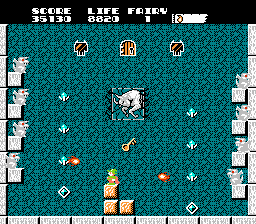
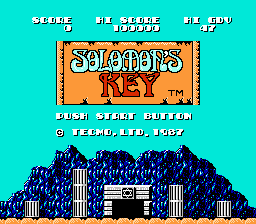
Solomon’s Key Screenshot
Player Comments & Discussion: 0 Comments

Leave a Comment / Review:

No comments yet. Be the first gamer to sign the guestbook!