🎮 Play Pole Position Online (Atari 2600)

🎲 NEXT RANDOM GAME
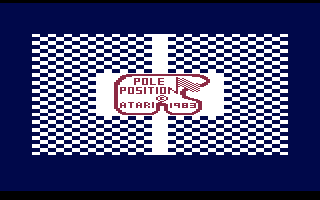
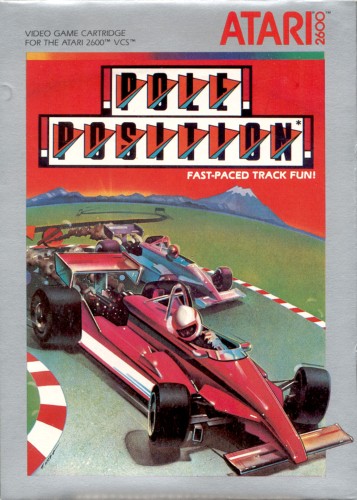
Pole Position cover art
SAVE SLOTS:

đŸ•šī¸ GAME CONTROLS

Action / ButtonKeyboard Key
D-Pad (Up / Down / Left / Right)Arrow Keys
Button AZ or J
Button BX or K
Button X / Turbo AA or U
Button Y / Turbo BS or I
SelectShift
StartEnter

💡 Tip: You can also connect any USB / Bluetooth Gamepad controller!

Game Rating & Player Reviews: ⭐ Not rated yet
–
☆☆☆☆☆
Be the first to rate
Rate this game (Click 1 to 5 stars):
★ ★ ★ ★ ★

✏️ Suggest an edit to Pole Position

🚩 Report Issue with Pole Position:

🎮 VISUAL CONTROLLER MAPPING & GAMEPAD DIAGRAM Auto-Detect: Active
L1 / LB R1 / RB SELECT START Y X A B RETRO ARCADE
Gamepad InputRetro FunctionKeyboard Key
D-Pad / AnalogCharacter Movement / Steering▲ â–ŧ ◄ â–ē
Button A (East)Primary Action / Attack / FireZ / K
Button B (South)Secondary / Jump / CancelX / J
Button X / YSpecial / Turbo / Extra FireA / S
SelectInsert Coin / Select OptionRight Shift
StartGame Start / Pause GameEnter
Game info: đŸ‘ī¸ 130 plays
Pole Position
box cover
Game title:Pole Position
Platform:Atari 2600
Author (released): Namco (1982)
Genre:Racing
Mode:Single-player
Game size:8 kB
Emulator Core:ATARI2600
Game Manual: 📖 Official Manual (Built-in)
Share Game:
License:Freeware / Abandonware
Available online emulators for Pole Position:

Different online emulators are available for Pole Position. Select an emulator core below for optimal performance:

Emulator Core EngineTechnologyMultiplayerGamepadTouchAdsAction / Switch
EmulatorJS (Default WebAssembly) WebAssembly / JSYESYES YESNO â–ļ ACTIVE
Atari 2600 (Recommended) WebAssembly / LibretroYESYES YESNO PLAY ⚡
Javatari / Stella JS Engine WebAssembly / LibretroYESYES YESNO PLAY ⚡
Game description:

Pole Position is Namco’s influential 1982 arcade racing game brought to the Atari 2600. Players take the wheel of a Formula One car to qualify on the Fuji Speedway track before competing against rival racers in a high-speed Grand Prix against the clock.

How to Play

Complete a qualifying lap to establish your grid position, then race against competing cars and the countdown clock to finish the Grand Prix. Steer through curves, shift gears, and avoid collisions with rival drivers and roadside billboards, which result in time-consuming crashes.

Browser controls map directly to the Atari 2600 joystick:

  • Steer & Accelerate: Arrow keys (Up / Down / Left / Right)
  • Trigger / Action: Spacebar
  • Turbo: Delete key
  • Console Controls: F11 (Select), F12 (Reset), Alt+P (Pause)

Tips

  • Downshift or ease off acceleration before entering sharp turns to avoid skidding into roadside signs.
  • Stick to the middle of the track when passing groups of cars so you have room to dodge sudden lane changes.
  • A clean qualifying lap is critical; hitting obstacles in qualifying drops you to the back of the grid, making the main race much harder.
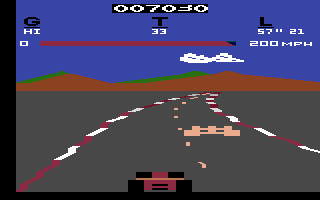
Screenshots:
Pole Position Screenshot
Player Comments & Discussion: 0 Comments

Leave a Comment / Review:

No comments yet. Be the first gamer to sign the guestbook!