
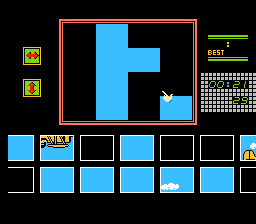
Monitor Puzzle Kineko: Kinetic Connection is a unique take on the traditional jigsaw puzzle, released for the Famicom Disk System in 1986 by Tamtex and Irem. Instead of static images, players must assemble animated puzzles where the pieces themselves contain moving parts, making the assembly process significantly more challenging as the images constantly loop and change.
How to Play
The objective is to assemble the 10 included animated puzzles. Each puzzle can be played at three different difficulty levels, splitting the image into 16, 24, or 48 pieces. Use the Arrow keys to move your cursor, press Z (A button) to pick up and place puzzle pieces, and press X (B button) to cancel. Press Enter (Start) to begin, and Shift (Select) for additional options.
Tips
- Unlock Reference Animations: Clear a puzzle in the 16-piece mode first to unlock the completed animation in the menu. Since you cannot view the finished picture while actively playing, this serves as an essential reference for the 24 and 48-piece difficulties.
- English Menus: You can switch the in-game puzzle titles to English by pressing Down + X on the main menu.
- In-Game Menu: During a puzzle, press Shift + X to open a menu allowing you to save, restart, or quit.




Leave a Comment / Review: