🎮 Play Mickey’s Space Adventure Online (DOS)

🎲 NEXT RANDOM GAME
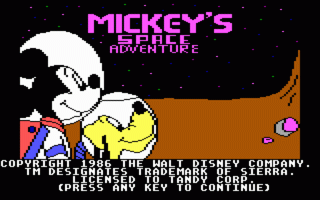
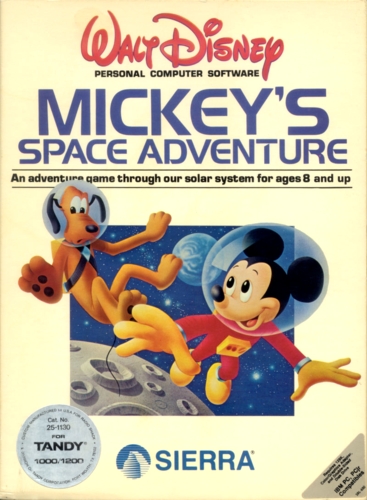
Mickey’s Space Adventure cover art
SAVE SLOTS:

🕹️ GAME CONTROLS

Action / ButtonKeyboard Key
D-Pad (Up / Down / Left / Right)Arrow Keys
Button AZ or J
Button BX or K
Button X / Turbo AA or U
Button Y / Turbo BS or I
SelectShift
StartEnter

💡 Tip: You can also connect any USB / Bluetooth Gamepad controller!

Game Rating & Player Reviews: ⭐ Not rated yet
☆☆☆☆☆
Be the first to rate
Rate this game (Click 1 to 5 stars):

✏️ Suggest an edit to Mickey’s Space Adventure

🚩 Report Issue with Mickey’s Space Adventure:

🎮 VISUAL CONTROLLER MAPPING & GAMEPAD DIAGRAM Auto-Detect: Active
L1 / LB R1 / RB SELECT START Y X A B RETRO ARCADE
Gamepad InputRetro FunctionKeyboard Key
D-Pad / AnalogCharacter Movement / Steering
Button A (East)Primary Action / Attack / FireZ / K
Button B (South)Secondary / Jump / CancelX / J
Button X / YSpecial / Turbo / Extra FireA / S
SelectInsert Coin / Select OptionRight Shift
StartGame Start / Pause GameEnter
Game info: 👁️ 122 plays
Mickey’s Space Adventure
box cover
Game title:Mickey’s Space Adventure
Platform:DOS
Author (released): Sierra On-Line (1984)
Genre:Adventure, Educational
Mode:Single-player
Game size:309 kB
Emulator Core:DOS
Game Manual: 📖 Official Manual (Built-in)
Share Game:
License:Freeware / Abandonware
Available online emulators for Mickey’s Space Adventure:

Different online emulators are available for Mickey’s Space Adventure. Select an emulator core below for optimal performance:

Emulator Core EngineTechnologyMultiplayerGamepadTouchAdsAction / Switch
EmulatorJS (Default WebAssembly) WebAssembly / JSYESYES YESNO ▶ ACTIVE
MS-DOS (Recommended) WebAssembly / LibretroYESYES YESNO PLAY ⚡
JS-DOS v3.0 / DOSBox Engine Emscripten C++YESYES NONO PLAY ⚡
Game description:

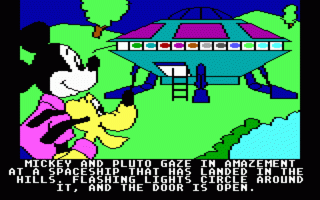
Mickey’s Space Adventure is a classic educational adventure game released for DOS in 1984 by Sierra On-Line. Designed by Al Lowe and Roberta Williams, it takes players on a journey across the solar system with Mickey Mouse and Pluto. The objective is to visit different planets and moons to recover the scattered pieces of a crystal memory core for an alien race.

How to Play

As an early DOS adventure, the game relies on keyboard input. Use the arrow keys to navigate Mickey through different scenes, and interact with the environment by typing simple two-word text commands (like “GET CRYSTAL” or “LOOK AROUND”) and pressing Enter. For full screen in the browser, press Right Alt + Enter.

Tips

  • Pay close attention to the details of each planet you visit; the game is designed to teach real facts about the solar system, which often serve as clues for solving puzzles.
  • If you find yourself stuck, try examining every object in the room or revisiting previous locations to see if you missed an item you need later.
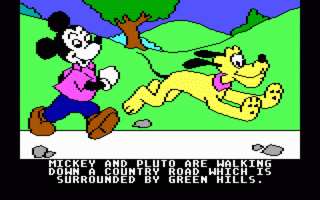
Screenshots:
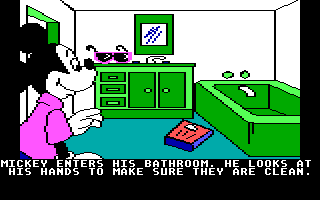
Mickey’s Space Adventure Screenshot
Player Comments & Discussion: 0 Comments

Leave a Comment / Review:

No comments yet. Be the first gamer to sign the guestbook!