๐ŸŽฎ Play Mario Teaches Typing Online (DOS)

๐ŸŽฒ NEXT RANDOM GAME
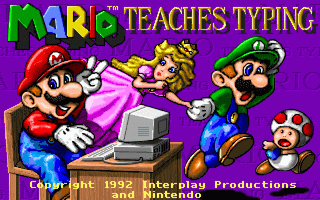
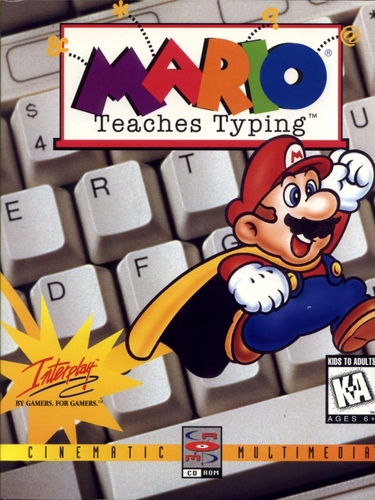
Mario Teaches Typing cover art
SAVE SLOTS:

๐Ÿ•น๏ธ GAME CONTROLS

Action / ButtonKeyboard Key
D-Pad (Up / Down / Left / Right)Arrow Keys
Button AZ or J
Button BX or K
Button X / Turbo AA or U
Button Y / Turbo BS or I
SelectShift
StartEnter

๐Ÿ’ก Tip: You can also connect any USB / Bluetooth Gamepad controller!

Game Rating & Player Reviews: โญ Not rated yet
โ€“
โ˜†โ˜†โ˜†โ˜†โ˜†
Be the first to rate
Rate this game (Click 1 to 5 stars):
โ˜… โ˜… โ˜… โ˜… โ˜…

✏️ Suggest an edit to Mario Teaches Typing

๐Ÿšฉ Report Issue with Mario Teaches Typing:

๐ŸŽฎ VISUAL CONTROLLER MAPPING & GAMEPAD DIAGRAM Auto-Detect: Active
L1 / LB R1 / RB SELECT START Y X A B RETRO ARCADE
Gamepad InputRetro FunctionKeyboard Key
D-Pad / AnalogCharacter Movement / Steeringโ–ฒ โ–ผ โ—„ โ–บ
Button A (East)Primary Action / Attack / FireZ / K
Button B (South)Secondary / Jump / CancelX / J
Button X / YSpecial / Turbo / Extra FireA / S
SelectInsert Coin / Select OptionRight Shift
StartGame Start / Pause GameEnter
Game info: ๐Ÿ‘๏ธ 95 plays
Mario Teaches Typing
box cover
Game title:Mario Teaches Typing
Platform:DOS
Author (released): Interplay (1992)
Genre:Educational
Mode:Single-player
Game size:960 kB
Emulator Core:DOS
Game Manual: ๐Ÿ“– Official Manual (Built-in)
Share Game:
License:Freeware / Abandonware
Available online emulators for Mario Teaches Typing:

Different online emulators are available for Mario Teaches Typing. Select an emulator core below for optimal performance:

Emulator Core EngineTechnologyMultiplayerGamepadTouchAdsAction / Switch
EmulatorJS (Default WebAssembly) WebAssembly / JSYESYES YESNO โ–ถ ACTIVE
MS-DOS (Recommended) WebAssembly / LibretroYESYES YESNO PLAY โšก
JS-DOS v3.0 / DOSBox Engine Emscripten C++YESYES NONO PLAY โšก
Game description:

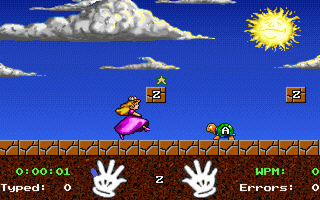
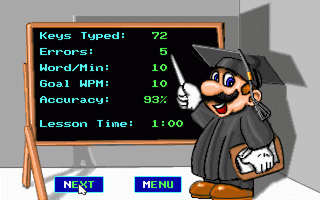
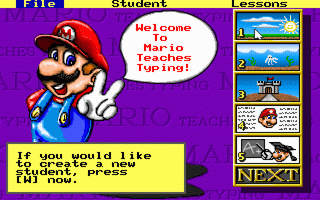
Mario Teaches Typing is a classic 1992 educational game developed by Interplay for DOS that turns keyboard practice into a platforming adventure. Instead of standard typing drills, you guide Mario, Luigi, or Princess Toadstool through Mushroom Kingdom levels by typing the letters, words, and sentences displayed on screen to stomp Goombas, kick Koopa shells, and hit question blocks.

How to play

Your objective is to reach the end of each stage by typing the correct characters as they appear. The game relies entirely on your keyboard for input. To toggle fullscreen mode for an easier view of the prompts, press Right Alt + Enter.

Tips

  • Focus on accuracy over speed: Making mistakes causes your character to stumble and miss targets, which ultimately slows your progress more than typing carefully.
  • Keep your hands on the home row: The on-screen keyboard highlights which finger should be used for each key. Try to resist the urge to look down at your physical keyboard as you play.
Screenshots:
Mario Teaches Typing Screenshot
Player Comments & Discussion: 0 Comments

Leave a Comment / Review:

No comments yet. Be the first gamer to sign the guestbook!