๐ŸŽฎ Play Lost Vikings, The Online (DOS)

๐ŸŽฒ NEXT RANDOM GAME
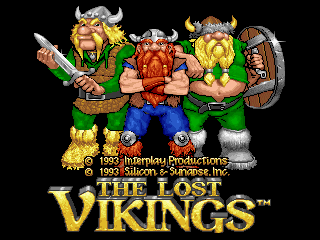
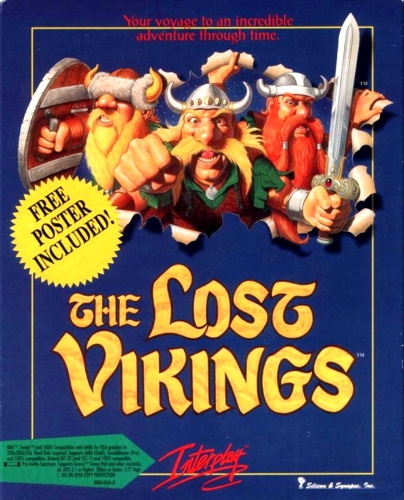
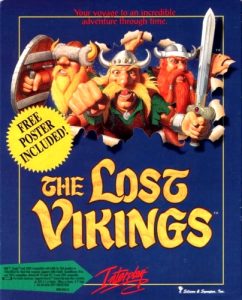
Lost Vikings, The cover art
SAVE SLOTS:

๐Ÿ•น๏ธ GAME CONTROLS

Action / ButtonKeyboard Key
D-Pad (Up / Down / Left / Right)Arrow Keys
Button AZ or J
Button BX or K
Button X / Turbo AA or U
Button Y / Turbo BS or I
SelectShift
StartEnter

๐Ÿ’ก Tip: You can also connect any USB / Bluetooth Gamepad controller!

Game Rating & Player Reviews: โญ Not rated yet
โ€“
โ˜†โ˜†โ˜†โ˜†โ˜†
Be the first to rate
Rate this game (Click 1 to 5 stars):
โ˜… โ˜… โ˜… โ˜… โ˜…

✏️ Suggest an edit to Lost Vikings, The

๐Ÿšฉ Report Issue with Lost Vikings, The:

๐ŸŽฎ VISUAL CONTROLLER MAPPING & GAMEPAD DIAGRAM Auto-Detect: Active
L1 / LB R1 / RB SELECT START Y X A B RETRO ARCADE
Gamepad InputRetro FunctionKeyboard Key
D-Pad / AnalogCharacter Movement / Steeringโ–ฒ โ–ผ โ—„ โ–บ
Button A (East)Primary Action / Attack / FireZ / K
Button B (South)Secondary / Jump / CancelX / J
Button X / YSpecial / Turbo / Extra FireA / S
SelectInsert Coin / Select OptionRight Shift
StartGame Start / Pause GameEnter
Game info: ๐Ÿ‘๏ธ 132 plays
Lost Vikings, The
box cover
Game title:Lost Vikings, The
Platform:DOS
Author (released): Silicon & Synapse (1992)
Genre:Action, Platform, Puzzle
Mode:Single-player
Game size:1369 kB
Emulator Core:DOS
Game Manual: ๐Ÿ“– Official Manual (Built-in)
Share Game:
License:Freeware / Abandonware
Available online emulators for Lost Vikings, The:

Different online emulators are available for Lost Vikings, The. Select an emulator core below for optimal performance:

Emulator Core EngineTechnologyMultiplayerGamepadTouchAdsAction / Switch
EmulatorJS (Default WebAssembly) WebAssembly / JSYESYES YESNO PLAY โšก
MS-DOS (Recommended) WebAssembly / LibretroYESYES YESNO โ–ถ ACTIVE
JS-DOS v3.0 / DOSBox Engine Emscripten C++YESYES NONO PLAY โšก
Game description:

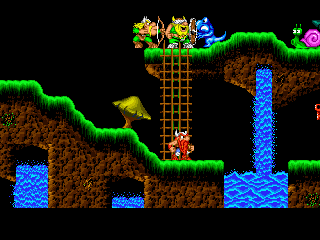
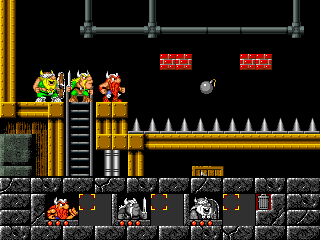
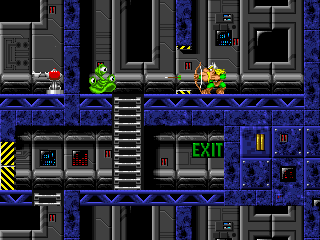
Developed by Silicon & Synapse in 1992, The Lost Vikings is a classic DOS puzzle-platformer where you guide three distinct Norsemen through alien environments. Rather than controlling a single hero, you must actively switch between Erik the Swift, Baleog the Fierce, and Olaf the Stout, combining their unique abilities to navigate traps, defeat enemies, and reach each level's exit.

How to Play

You must safely guide all three Vikings to the “EXIT” sign at the end of each stage. In the browser, use the arrow keys to move, and map the game's DOS controls to switch between characters and use their specific abilities. Erik can run, jump, and bash through certain walls; Baleog handles combat with his sword and bow; and Olaf uses his shield to block attacks or glide.

Tips

  • Keep everyone alive: All three Vikings are required to finish a level. If one falls in battle or to a trap, you will need to restart the stage.
  • Master Olaf's shield: Olaf can hold his shield above his head to glide safely down long drops, or act as a stepping stone so Erik can reach higher platforms.
  • Use the bow for puzzles: Baleog's arrows are not just for fighting enemies; they can also be used to hit distant switches through narrow gaps.
Screenshots:
Lost Vikings, The Screenshot
Player Comments & Discussion: 0 Comments

Leave a Comment / Review:

No comments yet. Be the first gamer to sign the guestbook!