🎮 Play Lipple Island (Japan) Online (NES)

🎲 NEXT RANDOM GAME
Lipple Island (Japan) cover art
SAVE SLOTS:

đŸ•šī¸ GAME CONTROLS

Action / ButtonKeyboard Key
D-Pad (Up / Down / Left / Right)Arrow Keys
Button AZ or J
Button BX or K
Button X / Turbo AA or U
Button Y / Turbo BS or I
SelectShift
StartEnter

💡 Tip: You can also connect any USB / Bluetooth Gamepad controller!

Game Rating & Player Reviews: ⭐ Not rated yet
–
☆☆☆☆☆
Be the first to rate
Rate this game (Click 1 to 5 stars):
★ ★ ★ ★ ★

✏️ Suggest an edit to Lipple Island (Japan)

🚩 Report Issue with Lipple Island (Japan):

🎮 VISUAL CONTROLLER MAPPING & GAMEPAD DIAGRAM Auto-Detect: Active
L1 / LB R1 / RB SELECT START Y X A B RETRO ARCADE
Gamepad InputRetro FunctionKeyboard Key
D-Pad / AnalogCharacter Movement / Steering▲ â–ŧ ◄ â–ē
Button A (East)Primary Action / Attack / FireZ / K
Button B (South)Secondary / Jump / CancelX / J
Button X / YSpecial / Turbo / Extra FireA / S
SelectInsert Coin / Select OptionRight Shift
StartGame Start / Pause GameEnter
Game info: đŸ‘ī¸ 106 plays
Lipple Island (Japan)
box cover
Game title:Lipple Island (Japan)
Platform:NES
Emulator Core:NES
Game Manual: 📖 Official Manual (Built-in)
Share Game:
License:Freeware / Abandonware
Available online emulators for Lipple Island (Japan):

Different online emulators are available for Lipple Island (Japan). Select an emulator core below for optimal performance:

Emulator Core EngineTechnologyMultiplayerGamepadTouchAdsAction / Switch
EmulatorJS (Default WebAssembly) WebAssembly / JSYESYES YESNO â–ļ ACTIVE
NES / Famicom (Recommended) WebAssembly / LibretroYESYES YESNO PLAY ⚡
Nestopia UE (Accurate) WebAssembly / LibretroYESYES YESNO PLAY ⚡
Game description:

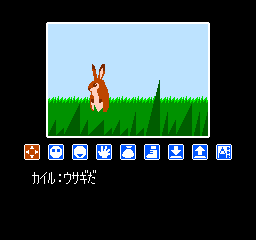
Lipple Island (also known as Ripple Island) is a fantasy graphic adventure game released for the Famicom (NES) in 1988. Developed by Tokai Engineering and published by Sunsoft, this Japanese-exclusive title departs from the gritty mysteries typical of 8-bit adventure games, instead offering a colorful, storybook-style world. Players take on the role of Kyle, a young boy who sets out to rescue Princess Nasarell from the evil emperor Gerogeru.

How to Play

The game relies on a menu-based command system. You progress through the story by selecting actions such as “look,” “talk,” or “take” to interact with characters and the environment. Your choices directly impact the story, ultimately leading to one of several different endings. For this emulator, the standard NES controls apply: use the Arrow keys (D-pad) to navigate menus, Z (A button) to confirm selections, X (B button) to cancel, and Enter/Shift for Start and Select.

Tips

  • Pay close attention to character dialogue; since progress depends on choosing the correct actions in the right order, NPCs often provide crucial hints about what to do next.
  • Explore every command option in a new scene. Some items or dialogue choices will not appear until you have thoroughly inspected your surroundings.

Player Comments & Discussion: 0 Comments

Leave a Comment / Review:

No comments yet. Be the first gamer to sign the guestbook!


