🎮 Play Home Run Online (Atari 2600)

🎲 NEXT RANDOM GAME
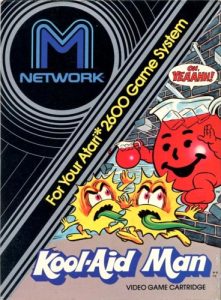
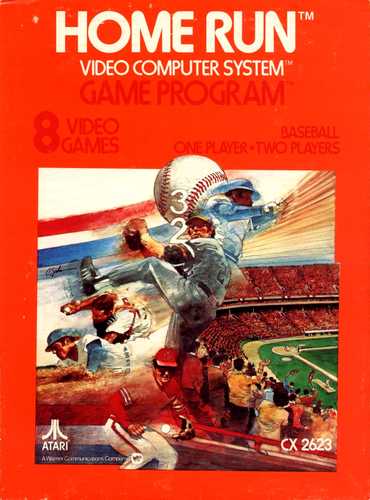
Home Run cover art
SAVE SLOTS:

đŸ•šī¸ GAME CONTROLS

Action / ButtonKeyboard Key
D-Pad (Up / Down / Left / Right)Arrow Keys
Button AZ or J
Button BX or K
Button X / Turbo AA or U
Button Y / Turbo BS or I
SelectShift
StartEnter

💡 Tip: You can also connect any USB / Bluetooth Gamepad controller!

Game Rating & Player Reviews: ⭐ Not rated yet
–
☆☆☆☆☆
Be the first to rate
Rate this game (Click 1 to 5 stars):
★ ★ ★ ★ ★

✏️ Suggest an edit to Home Run

🚩 Report Issue with Home Run:

🎮 VISUAL CONTROLLER MAPPING & GAMEPAD DIAGRAM Auto-Detect: Active
L1 / LB R1 / RB SELECT START Y X A B RETRO ARCADE
Gamepad InputRetro FunctionKeyboard Key
D-Pad / AnalogCharacter Movement / Steering▲ â–ŧ ◄ â–ē
Button A (East)Primary Action / Attack / FireZ / K
Button B (South)Secondary / Jump / CancelX / J
Button X / YSpecial / Turbo / Extra FireA / S
SelectInsert Coin / Select OptionRight Shift
StartGame Start / Pause GameEnter
Game info: đŸ‘ī¸ 142 plays
Home Run
box cover
Game title:Home Run
Platform:Atari 2600
Author (released): Atari (1978)
Genre:Sport
Mode:Multiplayer
Game size:2 kB
Emulator Core:ATARI2600
Game Manual: 📖 Official Manual (Built-in)
Share Game:
License:Freeware / Abandonware
Available online emulators for Home Run:

Different online emulators are available for Home Run. Select an emulator core below for optimal performance:

Emulator Core EngineTechnologyMultiplayerGamepadTouchAdsAction / Switch
EmulatorJS (Default WebAssembly) WebAssembly / JSYESYES YESNO â–ļ ACTIVE
Atari 2600 (Recommended) WebAssembly / LibretroYESYES YESNO PLAY ⚡
Javatari / Stella JS Engine WebAssembly / LibretroYESYES YESNO PLAY ⚡
Game description:

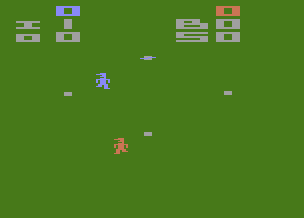
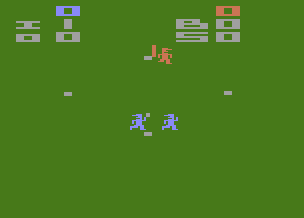
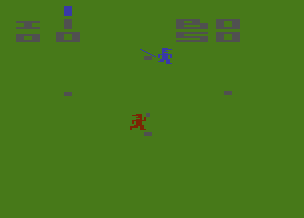
Home Run is a fast-paced 1978 sports game developed by Atari for the Atari 2600. Rather than a realistic simulation, it offers an arcade-style distillation of baseball where teams consist of one to three fielders, and pitchers can alter the ball’s trajectory in mid-flight.

How to play

When pitching, press the trigger to throw the ball, then use the directional keys to steer it or alter its speed while it is in the air. On defense, your fielders move simultaneously as a single unit to intercept the ball. After catching it, you must physically tag the runner or the base to secure an out. When batting, adjust your position in the batter’s box and press the trigger to swing.

Joystick control:
 Player 1:Player 2:
joystick↑↓←→TGFH
triggerSpacebarA
turboDel.
RESETF12F12
SELECTF11F11
PauseAlt+PAlt+P
black-white / color mode:  F2
paddle / joystick mode: Alt+L

Tips

  • Vary your pitch speed: After throwing the ball, hold Down to drastically slow it down or Up to speed it up. Combining this with left and right movement will keep the batter guessing.
  • Catching is not enough: Simply catching a hit ball does not result in an out. You must manually run your fielder to tag a base or the runner.
  • Hitting a home run: To score a home run, you must hit the ball directly over second base without it being intercepted by the defense.
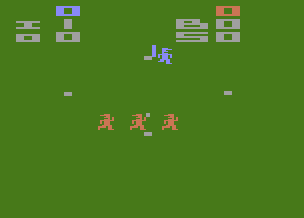
Screenshots:
Home Run Screenshot
Home Run Screenshot
Home Run Screenshot
Home Run Screenshot
Player Comments & Discussion: 0 Comments

Leave a Comment / Review:

No comments yet. Be the first gamer to sign the guestbook!