๐ŸŽฎ Play Goblins 3 Online (DOS)

๐ŸŽฒ NEXT RANDOM GAME
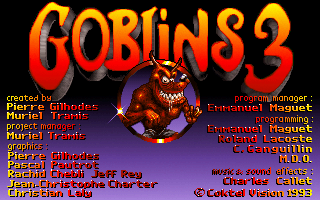
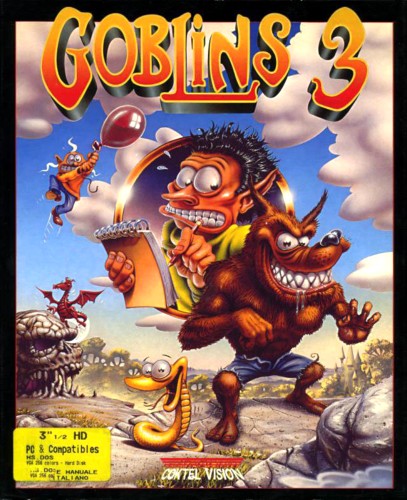
Goblins 3 cover art
SAVE SLOTS:

๐Ÿ•น๏ธ GAME CONTROLS

Action / ButtonKeyboard Key
D-Pad (Up / Down / Left / Right)Arrow Keys
Button AZ or J
Button BX or K
Button X / Turbo AA or U
Button Y / Turbo BS or I
SelectShift
StartEnter

๐Ÿ’ก Tip: You can also connect any USB / Bluetooth Gamepad controller!

Game Rating & Player Reviews: โญ Not rated yet
โ€“
โ˜†โ˜†โ˜†โ˜†โ˜†
Be the first to rate
Rate this game (Click 1 to 5 stars):
โ˜… โ˜… โ˜… โ˜… โ˜…

✏️ Suggest an edit to Goblins 3

๐Ÿšฉ Report Issue with Goblins 3:

๐ŸŽฎ VISUAL CONTROLLER MAPPING & GAMEPAD DIAGRAM Auto-Detect: Active
L1 / LB R1 / RB SELECT START Y X A B RETRO ARCADE
Gamepad InputRetro FunctionKeyboard Key
D-Pad / AnalogCharacter Movement / Steeringโ–ฒ โ–ผ โ—„ โ–บ
Button A (East)Primary Action / Attack / FireZ / K
Button B (South)Secondary / Jump / CancelX / J
Button X / YSpecial / Turbo / Extra FireA / S
SelectInsert Coin / Select OptionRight Shift
StartGame Start / Pause GameEnter
Game info: ๐Ÿ‘๏ธ 102 plays
Goblins 3
box cover
Game title:Goblins 3
Platform:DOS
Author (released): Coktel Vision (1993)
Genre:Adventure
Mode:Single-player
Game size:6953 kB
Emulator Core:DOS
Game Manual: ๐Ÿ“– Official Manual (Built-in)
Share Game:
License:Freeware / Abandonware
Available online emulators for Goblins 3:

Different online emulators are available for Goblins 3. Select an emulator core below for optimal performance:

Emulator Core EngineTechnologyMultiplayerGamepadTouchAdsAction / Switch
EmulatorJS (Default WebAssembly) WebAssembly / JSYESYES YESNO โ–ถ ACTIVE
MS-DOS (Recommended) WebAssembly / LibretroYESYES YESNO PLAY โšก
JS-DOS v3.0 / DOSBox Engine Emscripten C++YESYES NONO PLAY โšก
Game description:

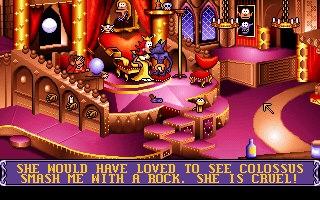
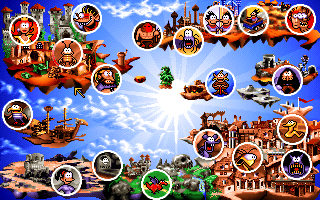
Developed by Coktel Vision in 1993, Goblins 3 is a classic DOS point-and-click adventure game. Also known as Goblins Quest 3, the game shifts the series formula by focusing on a single main protagonist, a goblin journalist named Blount, though you will be accompanied by sidekicks like Chump the parrot and Ooya the magician along the way. The game features the same signature bizarre humor and surreal art style as its predecessors, guiding players through bizarre, multi-screen puzzles.

How to play

As a traditional point-and-click adventure, use your mouse to interact with the environment, pick up items, and solve puzzles to progress Blount’s journey. Left-click to walk, interact, or combine inventory items. The game runs via DOS emulation; for full screen, press Right Alt + Enter.

Tips

  • Pay close attention to where you click. The hitboxes for interactable objects can be incredibly small and are often tucked away in unexpected parts of the screen.
  • Blount can change forms in certain areas (such as turning into a werewolf). Remember that his alternate form has completely different abilities and interactions for solving puzzles.
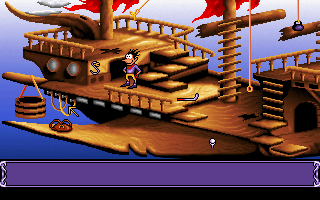
Screenshots:
Goblins 3 Screenshot
Player Comments & Discussion: 0 Comments

Leave a Comment / Review:

No comments yet. Be the first gamer to sign the guestbook!