๐ŸŽฎ Play Final Fantasy V Online (SNES)

๐ŸŽฒ NEXT RANDOM GAME
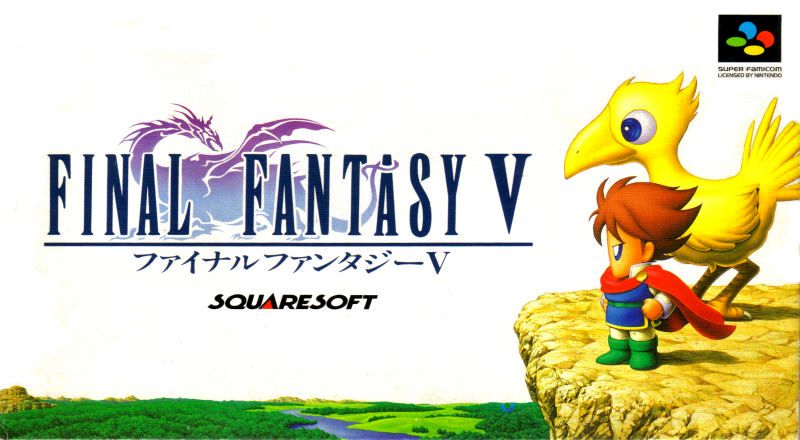
Final Fantasy V cover art
SAVE SLOTS:

๐Ÿ•น๏ธ GAME CONTROLS

Action / ButtonKeyboard Key
D-Pad (Up / Down / Left / Right)Arrow Keys
Button AZ or J
Button BX or K
Button X / Turbo AA or U
Button Y / Turbo BS or I
SelectShift
StartEnter

๐Ÿ’ก Tip: You can also connect any USB / Bluetooth Gamepad controller!

Game Rating & Player Reviews: โญ Not rated yet
โ€“
โ˜†โ˜†โ˜†โ˜†โ˜†
Be the first to rate
Rate this game (Click 1 to 5 stars):
โ˜… โ˜… โ˜… โ˜… โ˜…

✏️ Suggest an edit to Final Fantasy V

๐Ÿšฉ Report Issue with Final Fantasy V:

๐ŸŽฎ VISUAL CONTROLLER MAPPING & GAMEPAD DIAGRAM Auto-Detect: Active
L1 / LB R1 / RB SELECT START Y X A B RETRO ARCADE
Gamepad InputRetro FunctionKeyboard Key
D-Pad / AnalogCharacter Movement / Steeringโ–ฒ โ–ผ โ—„ โ–บ
Button A (East)Primary Action / Attack / FireZ / K
Button B (South)Secondary / Jump / CancelX / J
Button X / YSpecial / Turbo / Extra FireA / S
SelectInsert Coin / Select OptionRight Shift
StartGame Start / Pause GameEnter
Game info: ๐Ÿ‘๏ธ 118 plays
Final Fantasy V
box cover
Game title:Final Fantasy V
Platform:SNES
Author (released): Square (1992)
Genre:RPG
Mode:Single-player
Game size:1466 kB
Emulator Core:SNES
Game Manual: ๐Ÿ“– Official Manual (Built-in)
Share Game:
License:Freeware / Abandonware
Available online emulators for Final Fantasy V:

Different online emulators are available for Final Fantasy V. Select an emulator core below for optimal performance:

Emulator Core EngineTechnologyMultiplayerGamepadTouchAdsAction / Switch
EmulatorJS (Default WebAssembly) WebAssembly / JSYESYES YESNO โ–ถ ACTIVE
SNES / Super Famicom (Recommended) WebAssembly / LibretroYESYES YESNO PLAY โšก
Game description:

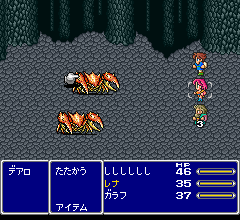
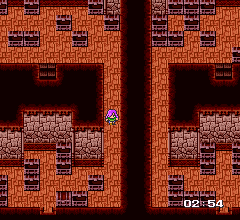
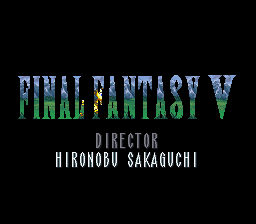
Final Fantasy V is a 1992 role-playing game developed by Square for the SNES. It is widely celebrated for its deep and flexible Job System, which allows players to freely switch characters between dozens of classesโ€”like Knight, Ninja, or Blue Mageโ€”and combine their learned abilities. The story follows a traveler named Bartz and his companions as they journey across multiple worlds to prevent the evil warlock Exdeath from shattering the elemental crystals.

How to play

Navigate the world map, explore towns and dungeons, and engage in turn-based combat using the Active Time Battle (ATB) system. Defeating enemies earns experience points for leveling up and Ability Points (ABP) to master your current job. The default browser controls map the SNES D-pad to the arrow keys. Use Z for the A button (confirm/interact) and X for the B button (cancel/dash). The X and Y buttons are mapped to A and S, while the L and R shoulder buttons use Q and E. Press Enter for Start and Shift for Select.

Tips

  • Mix and match abilities: Once a character learns an ability from one job, they can equip it while playing as another. A Knight who can cast White Magic is a great early-game combination.
  • Keep a Thief in the party: Thieves can see hidden passages in dungeons and have a chance to steal rare equipment from bosses that you cannot buy in stores.
  • Save your Freelancers: The starting Freelancer class inherits the innate traits and stat bonuses of every other job you master. By the end of the game, a fully mastered Freelancer is your most powerful option.
Screenshots:
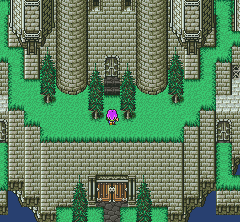
Final Fantasy V Screenshot
Player Comments & Discussion: 0 Comments

Leave a Comment / Review:

No comments yet. Be the first gamer to sign the guestbook!