🎮 Play Final Fantasy IV – Easy Type (Japan) Online (SNES)

🎲 NEXT RANDOM GAME
Final Fantasy IV – Easy Type (Japan) cover art
SAVE SLOTS:

đŸ•šī¸ GAME CONTROLS

Action / ButtonKeyboard Key
D-Pad (Up / Down / Left / Right)Arrow Keys
Button AZ or J
Button BX or K
Button X / Turbo AA or U
Button Y / Turbo BS or I
SelectShift
StartEnter

💡 Tip: You can also connect any USB / Bluetooth Gamepad controller!

Game Rating & Player Reviews: ⭐ Not rated yet
–
☆☆☆☆☆
Be the first to rate
Rate this game (Click 1 to 5 stars):
★ ★ ★ ★ ★

✏️ Suggest an edit to Final Fantasy IV – Easy Type (Japan)

🚩 Report Issue with Final Fantasy IV – Easy Type (Japan):

🎮 VISUAL CONTROLLER MAPPING & GAMEPAD DIAGRAM Auto-Detect: Active
L1 / LB R1 / RB SELECT START Y X A B RETRO ARCADE
Gamepad InputRetro FunctionKeyboard Key
D-Pad / AnalogCharacter Movement / Steering▲ â–ŧ ◄ â–ē
Button A (East)Primary Action / Attack / FireZ / K
Button B (South)Secondary / Jump / CancelX / J
Button X / YSpecial / Turbo / Extra FireA / S
SelectInsert Coin / Select OptionRight Shift
StartGame Start / Pause GameEnter
Game info: đŸ‘ī¸ 81 plays
Final Fantasy IV – Easy Type (Japan)
box cover
Game title:Final Fantasy IV – Easy Type (Japan)
Platform:SNES
Author (released): Unknown (1991)
Emulator Core:SNES
Game Manual: 📖 Official Manual (Built-in)
Share Game:
License:Freeware / Abandonware
Available online emulators for Final Fantasy IV – Easy Type (Japan):

Different online emulators are available for Final Fantasy IV – Easy Type (Japan). Select an emulator core below for optimal performance:

Emulator Core EngineTechnologyMultiplayerGamepadTouchAdsAction / Switch
EmulatorJS (Default WebAssembly) WebAssembly / JSYESYES YESNO â–ļ ACTIVE
SNES / Super Famicom (Recommended) WebAssembly / LibretroYESYES YESNO PLAY ⚡
Game description:

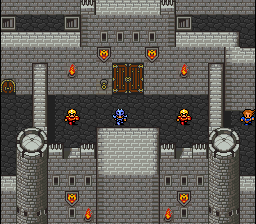
Final Fantasy IV – Easy Type is a modified version of the classic 1991 Super Famicom RPG, specifically rebalanced by Square to be more accessible for beginners. Released exclusively in Japan, this version streamlined the inventory system by replacing complex status-healing items with a unified cure, removed certain character abilities, and toned down enemy difficulty. It also features a completely redesigned final boss sprite. The adjustments made in this version served as the foundation for the game’s North American release as Final Fantasy II.

How to Play

Your objective is to guide Cecil and his companions on a quest to stop the sorcerer Golbez from gathering the powerful Crystals. Explore the overworld, navigate dungeons, and engage in the iconic Active Time Battle (ATB) system.

  • Movement: Arrow Keys (D-pad)
  • Action / Confirm: X key (A button)
  • Cancel: Z key (B button)
  • Open Menu: S key (X button)
  • Flee Battle: Hold Q + W or Q + E (L + R buttons)
  • Start: Enter
  • Select: Shift

Tips

  • Simplified Inventory: You don’t need to stock up on different remedies. A single “Heal” item cures most status ailments, freeing up your inventory space.
  • Fleeing: If you are overwhelmed, hold both shoulder buttons during combat to attempt an escape, but be aware that your party will take increased damage while trying to run.
  • Managing the ATB: Enemies will continue to attack while you navigate menus. If you need more time to think, open the configuration menu to slow down the battle speed or change the battle mode to “Wait” (which pauses time while in magic or item menus).
Player Comments & Discussion: 0 Comments

Leave a Comment / Review:

No comments yet. Be the first gamer to sign the guestbook!