🎮 Play Final Fantasy Online (NES)

🎲 NEXT RANDOM GAME
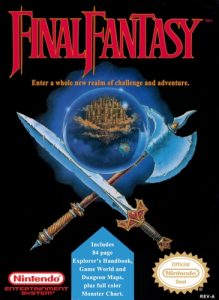
Final Fantasy cover art
SAVE SLOTS:

đŸ•šī¸ GAME CONTROLS

Action / ButtonKeyboard Key
D-Pad (Up / Down / Left / Right)Arrow Keys
Button AZ or J
Button BX or K
Button X / Turbo AA or U
Button Y / Turbo BS or I
SelectShift
StartEnter

💡 Tip: You can also connect any USB / Bluetooth Gamepad controller!

Game Rating & Player Reviews: ⭐ Not rated yet
–
☆☆☆☆☆
Be the first to rate
Rate this game (Click 1 to 5 stars):
★ ★ ★ ★ ★

✏️ Suggest an edit to Final Fantasy

🚩 Report Issue with Final Fantasy:

🎮 VISUAL CONTROLLER MAPPING & GAMEPAD DIAGRAM Auto-Detect: Active
L1 / LB R1 / RB SELECT START Y X A B RETRO ARCADE
Gamepad InputRetro FunctionKeyboard Key
D-Pad / AnalogCharacter Movement / Steering▲ â–ŧ ◄ â–ē
Button A (East)Primary Action / Attack / FireZ / K
Button B (South)Secondary / Jump / CancelX / J
Button X / YSpecial / Turbo / Extra FireA / S
SelectInsert Coin / Select OptionRight Shift
StartGame Start / Pause GameEnter
Game info: đŸ‘ī¸ 125 plays
Final Fantasy
box cover
Game title:Final Fantasy
Platform:NES
Author (released): Square Co., Ltd. (1987)
Genre:RPG
Mode:Single-player
Game size:256 kB
Emulator Core:NES
Game Manual: 📖 Official Manual (Built-in)
Share Game:
License:Freeware / Abandonware
Available online emulators for Final Fantasy:

Different online emulators are available for Final Fantasy. Select an emulator core below for optimal performance:

Emulator Core EngineTechnologyMultiplayerGamepadTouchAdsAction / Switch
EmulatorJS (Default WebAssembly) WebAssembly / JSYESYES YESNO â–ļ ACTIVE
NES / Famicom (Recommended) WebAssembly / LibretroYESYES YESNO PLAY ⚡
Nestopia UE (Accurate) WebAssembly / LibretroYESYES YESNO PLAY ⚡
Game description:

Final Fantasy is Square’s 1987 NES role-playing game and the starting point of one of gaming’s longest-running series. Before heading out, you assemble a party of four Warriors of Light from six character classes — Fighter, Thief, Black Belt, Red Mage, White Mage, and Black Mage — then set off to restore four elemental crystals by defeating the Fiends corrupting them. The overworld opens up in stages as you earn a ship and, later, an airship, and the story moves through towns, dungeons, and a final confrontation with the force behind the Fiends.

How to Play

Combat is turn-based: at the start of each round you assign an action to every party member, then all actions resolve together. Use the arrow keys to move on the overworld and navigate menus.

  • Arrow keys — move / navigate menus
  • X — confirm / select (NES A button)
  • Z — cancel / back (NES B button)
  • Enter — Start (open/close menu)
  • Shift — Select

Tips

  • Reassign targets each round. If you order an attack on an enemy that a party member kills before your turn, that action is wasted — the original NES version does not redirect automatically. When enemies are low on health, switch targets manually rather than doubling up.
  • Bring a White Mage. Status ailments hit hard from the Marsh Cave onward. A White Mage’s CURE and PURE spells keep the party alive far longer than Potions alone, especially through the mid-game dungeons.
  • Prioritise weapon and armour upgrades over consumables. Better gear compounds across every fight; a few extra Potions do not. Spend your Gil at the equipment shop first when you reach a new town.
Screenshots:
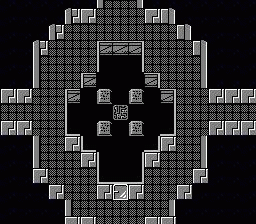
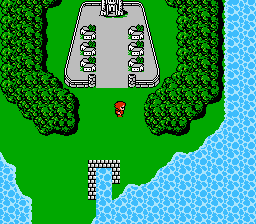
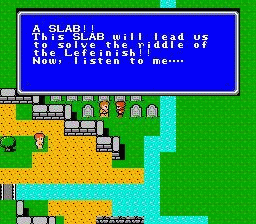
Final Fantasy Screenshot
Player Comments & Discussion: 0 Comments

Leave a Comment / Review:

No comments yet. Be the first gamer to sign the guestbook!