🎮 Play FC Genjin – Freakthoropus Computerus (Japan) Online (NES)

🎲 NEXT RANDOM GAME
FC Genjin – Freakthoropus Computerus (Japan) cover art
SAVE SLOTS:

đŸ•šī¸ GAME CONTROLS

Action / ButtonKeyboard Key
D-Pad (Up / Down / Left / Right)Arrow Keys
Button AZ or J
Button BX or K
Button X / Turbo AA or U
Button Y / Turbo BS or I
SelectShift
StartEnter

💡 Tip: You can also connect any USB / Bluetooth Gamepad controller!

Game Rating & Player Reviews: ⭐ Not rated yet
–
☆☆☆☆☆
Be the first to rate
Rate this game (Click 1 to 5 stars):
★ ★ ★ ★ ★

✏️ Suggest an edit to FC Genjin – Freakthoropus Computerus (Japan)

🚩 Report Issue with FC Genjin – Freakthoropus Computerus (Japan):

🎮 VISUAL CONTROLLER MAPPING & GAMEPAD DIAGRAM Auto-Detect: Active
L1 / LB R1 / RB SELECT START Y X A B RETRO ARCADE
Gamepad InputRetro FunctionKeyboard Key
D-Pad / AnalogCharacter Movement / Steering▲ â–ŧ ◄ â–ē
Button A (East)Primary Action / Attack / FireZ / K
Button B (South)Secondary / Jump / CancelX / J
Button X / YSpecial / Turbo / Extra FireA / S
SelectInsert Coin / Select OptionRight Shift
StartGame Start / Pause GameEnter
Game info: đŸ‘ī¸ 105 plays
FC Genjin – Freakthoropus Computerus (Japan)
box cover
Game title:FC Genjin – Freakthoropus Computerus (Japan)
Platform:NES
Author (released): Unknown (1993)
Emulator Core:NES
Game Manual: 📖 Official Manual (Built-in)
Share Game:
License:Freeware / Abandonware
Available online emulators for FC Genjin – Freakthoropus Computerus (Japan):

Different online emulators are available for FC Genjin – Freakthoropus Computerus (Japan). Select an emulator core below for optimal performance:

Emulator Core EngineTechnologyMultiplayerGamepadTouchAdsAction / Switch
EmulatorJS (Default WebAssembly) WebAssembly / JSYESYES YESNO â–ļ ACTIVE
NES / Famicom (Recommended) WebAssembly / LibretroYESYES YESNO PLAY ⚡
Nestopia UE (Accurate) WebAssembly / LibretroYESYES YESNO PLAY ⚡
Game description:

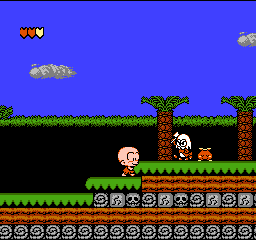
FC Genjin – Freakthoropus Computerus is a classic platformer brought to the NES. Originally famous on the PC Engine as Bonk’s Adventure, this 8-bit Famicom port tasks you with guiding the hard-headed caveman, Bonk, on a quest to rescue Princess Za from the evil King Drool. You’ll headbutt enemies, eat meat to power up into an invincible state, and navigate tricky prehistoric levels.

How to Play

Control Bonk using the standard NES layout mapped to your keyboard: use the Arrow Keys to move, Z to jump, and X to attack with a headbutt. Press Enter to pause the game. You can repeatedly tap the attack button in mid-air to spin and extend your jumps, allowing you to cross wider gaps.

Tips

  • Grab the Meat: Eating a small piece of meat makes Bonk stronger, while eating a large piece (or two small ones) triggers his invincible, raging state where he can defeat enemies just by touching them.
  • Hovering: Mash the attack button while in the air. Bonk will spin, which slows his descent and lets you float over dangerous obstacles.
  • Wall Climbing: You can climb certain vertical walls by jumping into them and rapidly biting with the attack button.

Player Comments & Discussion: 0 Comments

Leave a Comment / Review:

No comments yet. Be the first gamer to sign the guestbook!


