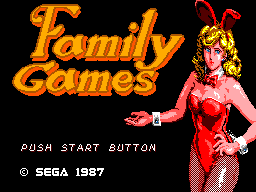
🎮 Play Family Games (Japan) Online (Sega Master System)

🎲 NEXT RANDOM GAME
Family Games (Japan) cover art
SAVE SLOTS:

🕹️ GAME CONTROLS

Action / ButtonKeyboard Key
D-Pad (Up / Down / Left / Right)Arrow Keys
Button AZ or J
Button BX or K
Button X / Turbo AA or U
Button Y / Turbo BS or I
SelectShift
StartEnter

💡 Tip: You can also connect any USB / Bluetooth Gamepad controller!

Game Rating & Player Reviews: ⭐ Not rated yet
☆☆☆☆☆
Be the first to rate
Rate this game (Click 1 to 5 stars):

✏️ Suggest an edit to Family Games (Japan)

🚩 Report Issue with Family Games (Japan):

🎮 VISUAL CONTROLLER MAPPING & GAMEPAD DIAGRAM Auto-Detect: Active
L1 / LB R1 / RB SELECT START Y X A B RETRO ARCADE
Gamepad InputRetro FunctionKeyboard Key
D-Pad / AnalogCharacter Movement / Steering
Button A (East)Primary Action / Attack / FireZ / K
Button B (South)Secondary / Jump / CancelX / J
Button X / YSpecial / Turbo / Extra FireA / S
SelectInsert Coin / Select OptionRight Shift
StartGame Start / Pause GameEnter
Game info: 👁️ 94 plays
Family Games (Japan)
box cover
Game title:Family Games (Japan)
Platform:Sega Master System
Author (released): Unknown (1987)
Emulator Core:SEGAMS
Game Manual: 📖 Official Manual (Built-in)
Share Game:
License:Freeware / Abandonware
Available online emulators for Family Games (Japan):

Different online emulators are available for Family Games (Japan). Select an emulator core below for optimal performance:

Emulator Core EngineTechnologyMultiplayerGamepadTouchAdsAction / Switch
EmulatorJS (Default WebAssembly) WebAssembly / JSYESYES YESNO ▶ ACTIVE
Sega Master System (Recommended) WebAssembly / LibretroYESYES YESNO PLAY ⚡
SMS Plus GX WebAssembly / LibretroYESYES YESNO PLAY ⚡
Game description:

Family Games (Japan) is a 1987 Sega Master System compilation developed by Compile. Released internationally under the name Parlour Games, this collection brings three classic recreational activities to your screen: Billiards (pool), Darts, and World Bingo. Up to four players can take turns competing in these straightforward but challenging digital adaptations.

How to Play

You can choose between Billiards, Darts, or World Bingo from the main menu. The controls use the standard Master System layout: use the D-pad (arrow keys) to navigate menus, aim your shots, or position your darts. Press Button 1 (Z key) to confirm selections, set your power level, or throw your dart. Button 2 (X key) is typically used to cancel actions or return to the previous screen.

Tips

  • Billiards: Pay close attention to the power meter; overhitting can cause the cue ball to bounce unpredictably off the cushions, ruining your setup for the next shot.
  • Darts: Timing is everything when throwing your darts. Practice predicting the moving cursor’s path to consistently hit the high-scoring treble sections.

Player Comments & Discussion: 0 Comments

Leave a Comment / Review:

No comments yet. Be the first gamer to sign the guestbook!