🎮 Play F-1 World Grand Prix (France) Online (Nintendo 64)

🎲 NEXT RANDOM GAME
F-1 World Grand Prix (France) cover art
SAVE SLOTS:

đŸ•šī¸ GAME CONTROLS

Action / ButtonKeyboard Key
D-Pad (Up / Down / Left / Right)Arrow Keys
Button AZ or J
Button BX or K
Button X / Turbo AA or U
Button Y / Turbo BS or I
SelectShift
StartEnter

💡 Tip: You can also connect any USB / Bluetooth Gamepad controller!

Game Rating & Player Reviews: ⭐ Not rated yet
–
☆☆☆☆☆
Be the first to rate
Rate this game (Click 1 to 5 stars):
★ ★ ★ ★ ★

✏️ Suggest an edit to F-1 World Grand Prix (France)

🚩 Report Issue with F-1 World Grand Prix (France):

🎮 VISUAL CONTROLLER MAPPING & GAMEPAD DIAGRAM Auto-Detect: Active
L1 / LB R1 / RB SELECT START Y X A B RETRO ARCADE
Gamepad InputRetro FunctionKeyboard Key
D-Pad / AnalogCharacter Movement / Steering▲ â–ŧ ◄ â–ē
Button A (East)Primary Action / Attack / FireZ / K
Button B (South)Secondary / Jump / CancelX / J
Button X / YSpecial / Turbo / Extra FireA / S
SelectInsert Coin / Select OptionRight Shift
StartGame Start / Pause GameEnter
Game info: đŸ‘ī¸ 102 plays
F-1 World Grand Prix (France)
box cover
Game title:F-1 World Grand Prix (France)
Platform:Nintendo 64
Author (released): Unknown (1999)
Emulator Core:N64
Game Manual: 📖 Official Manual (Built-in)
Share Game:
License:Freeware / Abandonware
Available online emulators for F-1 World Grand Prix (France):

Different online emulators are available for F-1 World Grand Prix (France). Select an emulator core below for optimal performance:

Emulator Core EngineTechnologyMultiplayerGamepadTouchAdsAction / Switch
EmulatorJS (Default WebAssembly) WebAssembly / JSYESYES YESNO â–ļ ACTIVE
Nintendo 64 (Recommended) WebAssembly / LibretroYESYES YESNO PLAY ⚡
ParaLLEl N64 WebAssembly / LibretroYESYES YESNO PLAY ⚡
Game description:

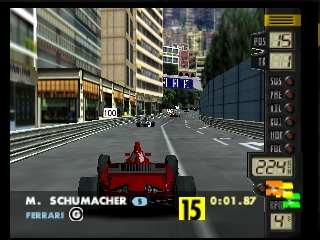
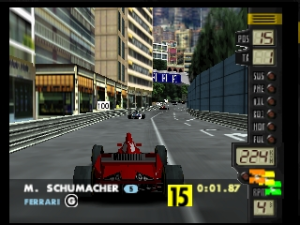
F-1 World Grand Prix for the Nintendo 64 brings realistic Formula One racing to the console. Released in 1999, this simulation focuses on the official 1997 FIA Formula One World Championship season, featuring real teams, drivers, and accurately modeled circuits. Unlike arcade racers, it demands precise cornering, pit stop strategy, and careful attention to changing weather conditions to secure a podium finish.

How to Play

Your objective is to master demanding international tracks and outpace the competition across a full Grand Prix season or individual exhibition races. In the browser emulator, use the Arrow Keys to steer (mapping to the N64 analog stick), X to accelerate (A button), and Z to brake (B button). Press Enter to pause the game or navigate menus (Start button).

Tips

  • Watch the Weather: Track conditions can change mid-race. Pit for wet tires immediately if it starts raining, as slick tires will cause you to lose grip rapidly.
  • Smooth Steering: Without an analog stick, simulation racing requires gentle, tapping inputs on your keyboard rather than holding directional keys down, which helps prevent spinning out on tight corners.
  • Use the Slipstream: Draft closely behind opposing cars on long straights to gain a speed boost before attempting a strategic pass.

Player Comments & Discussion: 0 Comments

Leave a Comment / Review:

No comments yet. Be the first gamer to sign the guestbook!