
🎮 Play Egypt Online (NES)

🎲 NEXT RANDOM GAME
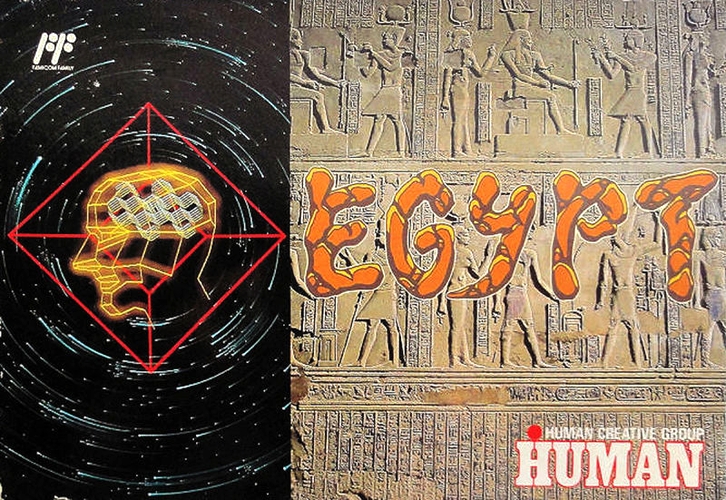
Egypt cover art
SAVE SLOTS:

đŸ•šī¸ GAME CONTROLS

Action / ButtonKeyboard Key
D-Pad (Up / Down / Left / Right)Arrow Keys
Button AZ or J
Button BX or K
Button X / Turbo AA or U
Button Y / Turbo BS or I
SelectShift
StartEnter

💡 Tip: You can also connect any USB / Bluetooth Gamepad controller!

Game Rating & Player Reviews: ⭐ Not rated yet
–
☆☆☆☆☆
Be the first to rate
Rate this game (Click 1 to 5 stars):
★ ★ ★ ★ ★

✏️ Suggest an edit to Egypt

🚩 Report Issue with Egypt:

🎮 VISUAL CONTROLLER MAPPING & GAMEPAD DIAGRAM Auto-Detect: Active
L1 / LB R1 / RB SELECT START Y X A B RETRO ARCADE
Gamepad InputRetro FunctionKeyboard Key
D-Pad / AnalogCharacter Movement / Steering▲ â–ŧ ◄ â–ē
Button A (East)Primary Action / Attack / FireZ / K
Button B (South)Secondary / Jump / CancelX / J
Button X / YSpecial / Turbo / Extra FireA / S
SelectInsert Coin / Select OptionRight Shift
StartGame Start / Pause GameEnter
Game info: đŸ‘ī¸ 141 plays
Egypt
box cover
Game title:Egypt
Platform:NES
Author (released): Human Creative (1991)
Genre:Puzzle
Mode:Single-player
Game size:43 kB
Emulator Core:NES
Game Manual: 📖 Official Manual (Built-in)
Share Game:
License:Freeware / Abandonware
Available online emulators for Egypt:

Different online emulators are available for Egypt. Select an emulator core below for optimal performance:

Emulator Core EngineTechnologyMultiplayerGamepadTouchAdsAction / Switch
EmulatorJS (Default WebAssembly) WebAssembly / JSYESYES YESNO â–ļ ACTIVE
NES / Famicom (Recommended) WebAssembly / LibretroYESYES YESNO PLAY ⚡
Nestopia UE (Accurate) WebAssembly / LibretroYESYES YESNO PLAY ⚡
Game description:

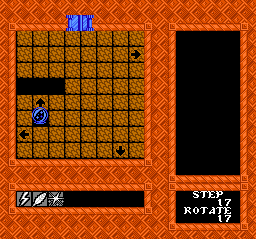
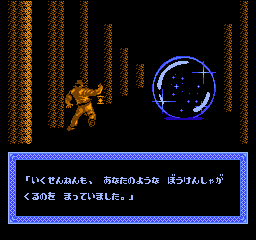
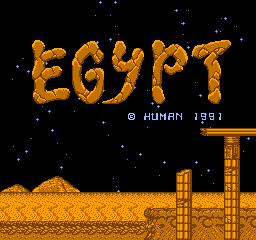
Released as a late-era Famicom exclusive in 1991 by Human Creative, Egypt is an object-elimination puzzle game built around a shifting grid. Playing as an adventurer trapped in an ancient temple, you take control of a magical spherical jewel to slide tiles, match identical items, and break the seals across dozens of complex rooms.

How to play

Your goal is to clear the 8×8 board by positioning matching items next to one another. Stepping onto an arrow tile shifts that entire row or column in the indicated direction, moving the board's objects with it. Use the arrow keys to navigate the jewel around the grid. Press Enter (Start) to begin or pause the game, and use X or Z (A and B) to select options.

Tips

  • Watch the whole line: Because you shift entire rows and columns at once, moving one item will often displace another. Look for moves that align multiple pairs simultaneously.
  • Don't strand yourself: It is easy to accidentally shift the tile you needed to stand on next. Always plan your exit route so your jewel is not left without a useful arrow to step on.
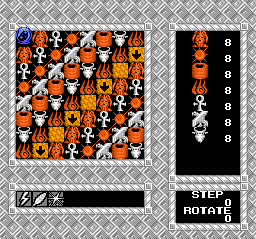
Screenshots:
Egypt Screenshot
Egypt Screenshot
Egypt Screenshot
Egypt Screenshot
Player Comments & Discussion: 0 Comments

Leave a Comment / Review:

No comments yet. Be the first gamer to sign the guestbook!