🎮 Play Doom 64 (Japan) Online (Nintendo 64)

🎲 NEXT RANDOM GAME
Doom 64 (Japan) cover art
SAVE SLOTS:

đŸ•šī¸ GAME CONTROLS

Action / ButtonKeyboard Key
D-Pad (Up / Down / Left / Right)Arrow Keys
Button AZ or J
Button BX or K
Button X / Turbo AA or U
Button Y / Turbo BS or I
SelectShift
StartEnter

💡 Tip: You can also connect any USB / Bluetooth Gamepad controller!

Game Rating & Player Reviews: ⭐ Not rated yet
–
☆☆☆☆☆
Be the first to rate
Rate this game (Click 1 to 5 stars):
★ ★ ★ ★ ★

✏️ Suggest an edit to Doom 64 (Japan)

🚩 Report Issue with Doom 64 (Japan):

🎮 VISUAL CONTROLLER MAPPING & GAMEPAD DIAGRAM Auto-Detect: Active
L1 / LB R1 / RB SELECT START Y X A B RETRO ARCADE
Gamepad InputRetro FunctionKeyboard Key
D-Pad / AnalogCharacter Movement / Steering▲ â–ŧ ◄ â–ē
Button A (East)Primary Action / Attack / FireZ / K
Button B (South)Secondary / Jump / CancelX / J
Button X / YSpecial / Turbo / Extra FireA / S
SelectInsert Coin / Select OptionRight Shift
StartGame Start / Pause GameEnter
Game info: đŸ‘ī¸ 120 plays
Doom 64 (Japan)
box cover
Game title:Doom 64 (Japan)
Platform:Nintendo 64
Author (released): Unknown (1997)
Emulator Core:N64
Game Manual: 📖 Official Manual (Built-in)
Share Game:
License:Freeware / Abandonware
Available online emulators for Doom 64 (Japan):

Different online emulators are available for Doom 64 (Japan). Select an emulator core below for optimal performance:

Emulator Core EngineTechnologyMultiplayerGamepadTouchAdsAction / Switch
EmulatorJS (Default WebAssembly) WebAssembly / JSYESYES YESNO â–ļ ACTIVE
Nintendo 64 (Recommended) WebAssembly / LibretroYESYES YESNO PLAY ⚡
ParaLLEl N64 WebAssembly / LibretroYESYES YESNO PLAY ⚡
Game description:

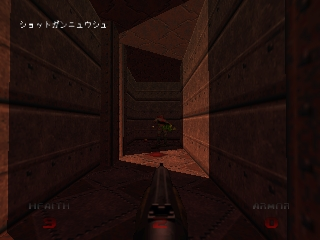
Developed by Midway Studios San Diego and released in 1997, Doom 64 is a standalone first-person shooter for the Nintendo 64 that serves as a true sequel to the original games. Rather than a simple port, this installment features completely original levels, redesigned demon sprites, and a much darker, atmospheric horror tone compared to its predecessors.

How to play

Your objective is to survive hordes of demonic enemies, find colored keycards to unlock new areas, and reach the exit of each labyrinthine level. In the browser emulator, use the arrow keys to move, and the standard action keys (typically Z, X, and C, or WASD for the C-buttons) to fire your weapon, interact with switches, and strafe. Press Enter to pause the game.

Tips

  • Always check the walls for secrets. Pressing the interact button against misaligned or differently textured sections often reveals hidden rooms with armor, health, or powerful weapons.
  • Conserve your energy cell ammo for tougher encounters, such as the redesigned Cyberdemon or the Mother Demon at the end of the game.
  • Try to find the secret levels to collect the three Demon Keys. These artifacts upgrade the Unmaker, an exclusive secret weapon, making it devastatingly powerful against the final boss.

Player Comments & Discussion: 0 Comments

Leave a Comment / Review:

No comments yet. Be the first gamer to sign the guestbook!