🎮 Play Dezaemon (Japan) Online (NES)

🎲 NEXT RANDOM GAME
Dezaemon (Japan) cover art
SAVE SLOTS:

đŸ•šī¸ GAME CONTROLS

Action / ButtonKeyboard Key
D-Pad (Up / Down / Left / Right)Arrow Keys
Button AZ or J
Button BX or K
Button X / Turbo AA or U
Button Y / Turbo BS or I
SelectShift
StartEnter

💡 Tip: You can also connect any USB / Bluetooth Gamepad controller!

Game Rating & Player Reviews: ⭐ Not rated yet
–
☆☆☆☆☆
Be the first to rate
Rate this game (Click 1 to 5 stars):
★ ★ ★ ★ ★

✏️ Suggest an edit to Dezaemon (Japan)

🚩 Report Issue with Dezaemon (Japan):

🎮 VISUAL CONTROLLER MAPPING & GAMEPAD DIAGRAM Auto-Detect: Active
L1 / LB R1 / RB SELECT START Y X A B RETRO ARCADE
Gamepad InputRetro FunctionKeyboard Key
D-Pad / AnalogCharacter Movement / Steering▲ â–ŧ ◄ â–ē
Button A (East)Primary Action / Attack / FireZ / K
Button B (South)Secondary / Jump / CancelX / J
Button X / YSpecial / Turbo / Extra FireA / S
SelectInsert Coin / Select OptionRight Shift
StartGame Start / Pause GameEnter
Game info: đŸ‘ī¸ 101 plays
Dezaemon (Japan)
box cover
Game title:Dezaemon (Japan)
Platform:NES
Emulator Core:NES
Game Manual: 📖 Official Manual (Built-in)
Share Game:
License:Freeware / Abandonware
Available online emulators for Dezaemon (Japan):

Different online emulators are available for Dezaemon (Japan). Select an emulator core below for optimal performance:

Emulator Core EngineTechnologyMultiplayerGamepadTouchAdsAction / Switch
EmulatorJS (Default WebAssembly) WebAssembly / JSYESYES YESNO â–ļ ACTIVE
NES / Famicom (Recommended) WebAssembly / LibretroYESYES YESNO PLAY ⚡
Nestopia UE (Accurate) WebAssembly / LibretroYESYES YESNO PLAY ⚡
Game description:

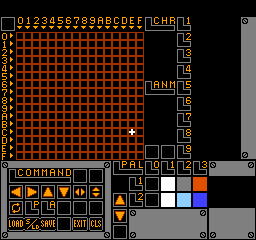
Dezaemon is a unique shoot ’em up construction kit released for the Famicom (NES) in 1991 by Athena and developed by KID. Rather than just playing a traditional scrolling shooter, this software allows you to design your own from the ground up. You can use the built-in pixel art editor to draw your own player ship, enemy sprites, and bosses, as well as compose your own 8-bit background music. The game also includes a fully playable three-level sample game to demonstrate what the engine is capable of.

How to Play

If you are jumping into the sample game or testing your own creations, use the Arrow Keys to move your ship. Press Z or X to fire your weapons and use bombs. In the creation menus, the D-pad (Arrow Keys) moves your cursor, Z selects tools or places pixels, and X cancels or goes back. Press Enter to access the main menu or test your game.

Tips

  • When drawing your sprites, remember that you have a limited color palette. Focus on high-contrast colors to make enemy bullets stand out from the background.
  • Before starting a massive project, play through the included three-level sample game to get a feel for how the enemy attack patterns and hitboxes work.

Player Comments & Discussion: 0 Comments

Leave a Comment / Review:

No comments yet. Be the first gamer to sign the guestbook!


