🎮 Play Cosmo’s Cosmic Adventure: Forbidden Planet Online (DOS)

🎲 NEXT RANDOM GAME
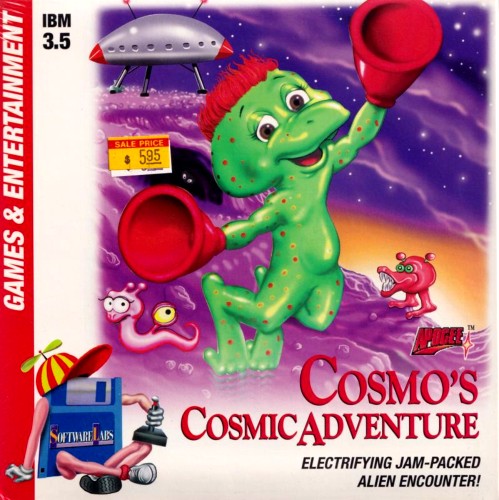
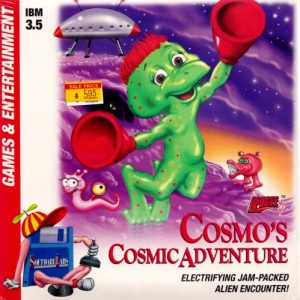
Cosmo’s Cosmic Adventure: Forbidden Planet cover art
SAVE SLOTS:

🕹️ GAME CONTROLS

Action / ButtonKeyboard Key
D-Pad (Up / Down / Left / Right)Arrow Keys
Button AZ or J
Button BX or K
Button X / Turbo AA or U
Button Y / Turbo BS or I
SelectShift
StartEnter

💡 Tip: You can also connect any USB / Bluetooth Gamepad controller!

Game Rating & Player Reviews: ⭐ Not rated yet
☆☆☆☆☆
Be the first to rate
Rate this game (Click 1 to 5 stars):

✏️ Suggest an edit to Cosmo’s Cosmic Adventure: Forbidden Planet

🚩 Report Issue with Cosmo’s Cosmic Adventure: Forbidden Planet:

🎮 VISUAL CONTROLLER MAPPING & GAMEPAD DIAGRAM Auto-Detect: Active
L1 / LB R1 / RB SELECT START Y X A B RETRO ARCADE
Gamepad InputRetro FunctionKeyboard Key
D-Pad / AnalogCharacter Movement / Steering
Button A (East)Primary Action / Attack / FireZ / K
Button B (South)Secondary / Jump / CancelX / J
Button X / YSpecial / Turbo / Extra FireA / S
SelectInsert Coin / Select OptionRight Shift
StartGame Start / Pause GameEnter
Game info: 👁️ 100 plays
Cosmo’s Cosmic Adventure: Forbidden Planet
box cover
Game title:Cosmo’s Cosmic Adventure: Forbidden Planet
Platform:DOS
Author (released): Apogee Software (1992)
Genre:Action, Platform
Mode:Single-player
Game size:470 kB
Emulator Core:DOS
Game Manual: 📖 Official Manual (Built-in)
Share Game:
License:Freeware / Abandonware
Available online emulators for Cosmo’s Cosmic Adventure: Forbidden Planet:

Different online emulators are available for Cosmo’s Cosmic Adventure: Forbidden Planet. Select an emulator core below for optimal performance:

Emulator Core EngineTechnologyMultiplayerGamepadTouchAdsAction / Switch
EmulatorJS (Default WebAssembly) WebAssembly / JSYESYES YESNO ▶ ACTIVE
MS-DOS (Recommended) WebAssembly / LibretroYESYES YESNO PLAY ⚡
JS-DOS v3.0 / DOSBox Engine Emscripten C++YESYES NONO PLAY ⚡
Game description:

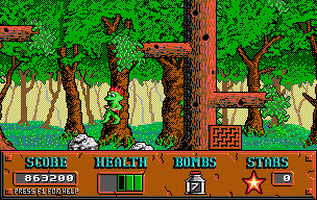
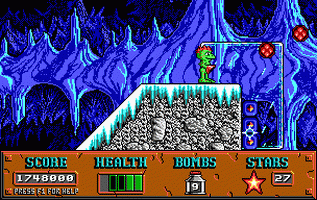
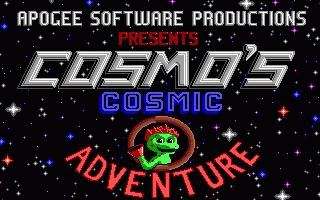
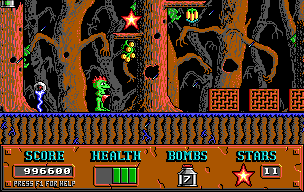
Developed by Apogee Software in 1992, Cosmo’s Cosmic Adventure is a classic DOS platformer that helped define early PC gaming. You play as Cosmo, a young alien with suction-cup hands who must navigate a hostile, vibrant alien world to rescue his parents after their ship is forced to land. The game stands out for its vertical exploration and distinct wall-climbing mechanics.

How to Play

The main objective is to reach the exit of each level while avoiding or defeating alien creatures. Use the Arrow Keys to move, Ctrl to jump, and Alt to place a bomb. Cosmo’s defining ability is his suction-cup hands; jump against any vertical surface and he will cling to it, allowing you to scale walls to reach higher platforms or avoid hazards below.

Tips

  • Look for secret areas: Many levels feature hidden passages and invisible platforms. Try jumping against seemingly solid walls or into empty spaces to uncover hidden stars and health power-ups.
  • Manage your bombs: Bombs are limited, so save them for tougher enemies or to blow up destructible blocks that block your path to power-ups.
  • Use enemies as springs: You can safely bounce on top of many enemies to gain extra height and reach areas that are otherwise inaccessible, even with wall climbing.
Screenshots:
Cosmo’s Cosmic Adventure: Forbidden Planet Screenshot
Player Comments & Discussion: 0 Comments

Leave a Comment / Review:

No comments yet. Be the first gamer to sign the guestbook!