๐ŸŽฎ Play Chronicles of the Sword (USA) (Disc 2) Online (PlayStation)

๐ŸŽฒ NEXT RANDOM GAME
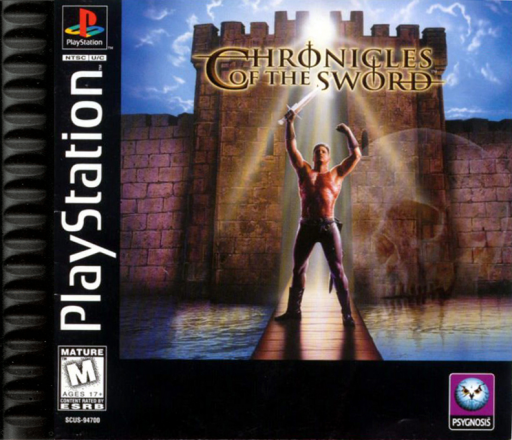
Chronicles of the Sword (USA) (Disc 2) cover art
SAVE SLOTS:

๐Ÿ•น๏ธ GAME CONTROLS

Action / ButtonKeyboard Key
D-Pad (Up / Down / Left / Right)Arrow Keys
Button AZ or J
Button BX or K
Button X / Turbo AA or U
Button Y / Turbo BS or I
SelectShift
StartEnter

๐Ÿ’ก Tip: You can also connect any USB / Bluetooth Gamepad controller!

Game Rating & Player Reviews: โญ Not rated yet
โ€“
โ˜†โ˜†โ˜†โ˜†โ˜†
Be the first to rate
Rate this game (Click 1 to 5 stars):
โ˜… โ˜… โ˜… โ˜… โ˜…

✏️ Suggest an edit to Chronicles of the Sword (USA) (Disc 2)

๐Ÿšฉ Report Issue with Chronicles of the Sword (USA) (Disc 2):

๐ŸŽฎ VISUAL CONTROLLER MAPPING & GAMEPAD DIAGRAM Auto-Detect: Active
L1 / LB R1 / RB SELECT START Y X A B RETRO ARCADE
Gamepad InputRetro FunctionKeyboard Key
D-Pad / AnalogCharacter Movement / Steeringโ–ฒ โ–ผ โ—„ โ–บ
Button A (East)Primary Action / Attack / FireZ / K
Button B (South)Secondary / Jump / CancelX / J
Button X / YSpecial / Turbo / Extra FireA / S
SelectInsert Coin / Select OptionRight Shift
StartGame Start / Pause GameEnter
Game info: ๐Ÿ‘๏ธ 135 plays
Chronicles of the Sword (USA) (Disc 2)
box cover
Game title:Chronicles of the Sword (USA) (Disc 2)
Platform:PlayStation
Emulator Core:PSX
Game Manual: ๐Ÿ“– Official Manual (Built-in)
Share Game:
License:Freeware / Abandonware
Available online emulators for Chronicles of the Sword (USA) (Disc 2):

Different online emulators are available for Chronicles of the Sword (USA) (Disc 2). Select an emulator core below for optimal performance:

Emulator Core EngineTechnologyMultiplayerGamepadTouchAdsAction / Switch
EmulatorJS (Default WebAssembly) WebAssembly / JSYESYES YESNO โ–ถ ACTIVE
PlayStation (Recommended) WebAssembly / LibretroYESYES YESNO PLAY โšก
Beetle PSX HW WebAssembly / LibretroYESYES YESNO PLAY โšก
Game description:

Chronicles of the Sword (Disc 2) continues the Arthurian point-and-click adventure on the PlayStation. Developed by Synthetic Dimensions, this disc picks up where the first left off, following the knight Sir Gawain as he uncovers conspiracies in Camelot. The game features 3D characters navigating pre-rendered environments, bringing a cinematic presentation to the PlayStation.

How to Play

As a point-and-click adventure, gameplay focuses on exploration, interacting with characters, and solving inventory-based puzzles. On the PlayStation, you use the D-pad (mapped to the arrow keys) to move the cursor across the screen. Press Cross (X) (mapped to Z) to interact with objects, inspect items, or speak with NPCs, and Triangle or Circle (mapped to S or X) to access your inventory and manage items. Use Start (mapped to Enter) to pause the game.

Tips

Pay close attention to dialogue and examine every new screen carefully, as essential quest items can sometimes blend into the pre-rendered backgrounds. Save your game frequently, as there are scenarios where making the wrong choice or missing an item can lead to a sudden game over.

Player Comments & Discussion: 0 Comments

Leave a Comment / Review:

No comments yet. Be the first gamer to sign the guestbook!