
🎮 Play Chip’s Challenge Online (DOS)

🎲 NEXT RANDOM GAME
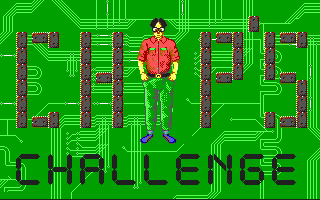
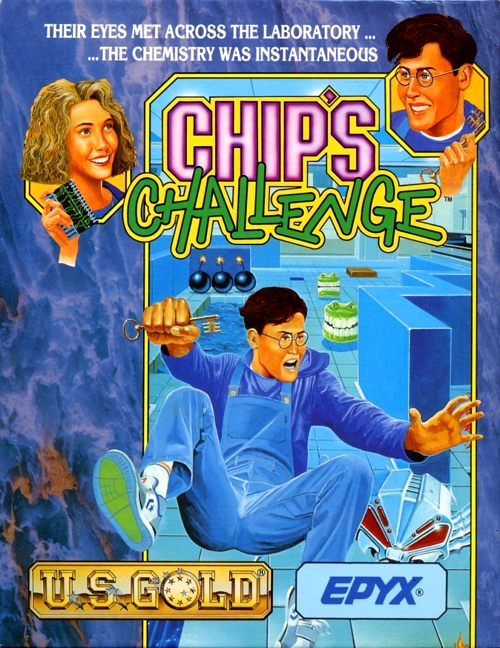
Chip’s Challenge cover art
SAVE SLOTS:

🕹️ GAME CONTROLS

Action / ButtonKeyboard Key
D-Pad (Up / Down / Left / Right)Arrow Keys
Button AZ or J
Button BX or K
Button X / Turbo AA or U
Button Y / Turbo BS or I
SelectShift
StartEnter

💡 Tip: You can also connect any USB / Bluetooth Gamepad controller!

Game Rating & Player Reviews: ⭐ Not rated yet
☆☆☆☆☆
Be the first to rate
Rate this game (Click 1 to 5 stars):

✏️ Suggest an edit to Chip’s Challenge

🚩 Report Issue with Chip’s Challenge:

🎮 VISUAL CONTROLLER MAPPING & GAMEPAD DIAGRAM Auto-Detect: Active
L1 / LB R1 / RB SELECT START Y X A B RETRO ARCADE
Gamepad InputRetro FunctionKeyboard Key
D-Pad / AnalogCharacter Movement / Steering
Button A (East)Primary Action / Attack / FireZ / K
Button B (South)Secondary / Jump / CancelX / J
Button X / YSpecial / Turbo / Extra FireA / S
SelectInsert Coin / Select OptionRight Shift
StartGame Start / Pause GameEnter
Game info: 👁️ 98 plays
Chip’s Challenge
box cover
Game title:Chip’s Challenge
Platform:DOS
Author (released): Epyx (1989)
Genre:Puzzle
Mode:Single-player
Game size:148 kB
Emulator Core:DOS
Game Manual: 📖 Official Manual (Built-in)
Share Game:
License:Freeware / Abandonware
Available online emulators for Chip’s Challenge:

Different online emulators are available for Chip’s Challenge. Select an emulator core below for optimal performance:

Emulator Core EngineTechnologyMultiplayerGamepadTouchAdsAction / Switch
EmulatorJS (Default WebAssembly) WebAssembly / JSYESYES YESNO ▶ ACTIVE
MS-DOS (Recommended) WebAssembly / LibretroYESYES YESNO PLAY ⚡
JS-DOS v3.0 / DOSBox Engine Emscripten C++YESYES NONO PLAY ⚡
Game description:

Published by Epyx in 1989 for DOS, Chip’s Challenge is a classic top-down puzzle game where you guide high school nerd Chip McCallahan through a series of grid-based rooms. To join the exclusive Bit Busters computer club, Chip must navigate complex mazes, collect all the required microchips in each level to unlock the exit socket, and avoid various monsters and environmental hazards.

How to play

Your goal in each level is to collect the target number of computer chips to bypass the chip socket and reach the exit square. As a DOS title, the controls are straightforward: use the Arrow keys to move Chip one tile at a time. To toggle full-screen mode, press Right Alt + Enter.

Tips

  • Look out for colored keys to unlock matching doors, and seek out specialized footwear—like fire boots, ice skates, flippers, and suction boots—to safely cross otherwise deadly terrain.
  • Many levels include block-pushing puzzles. Be careful not to push a dirt block into a corner or against a wall where it cannot be moved again, as you cannot pull blocks.
  • You can use dirt blocks to bridge across water tiles or to safely divert the paths of moving enemies.
Screenshots:
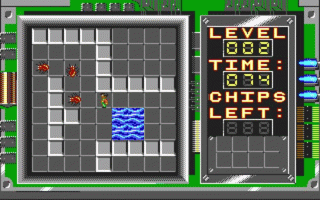
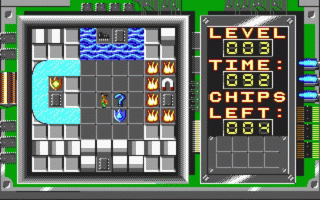
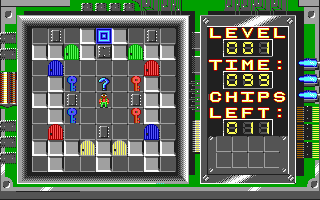
Chip’s Challenge Screenshot
Player Comments & Discussion: 0 Comments

Leave a Comment / Review:

No comments yet. Be the first gamer to sign the guestbook!