🎮 Play Chip ’N Dale: Rescue Rangers Online (NES)

🎲 NEXT RANDOM GAME
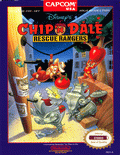
Chip ’N Dale: Rescue Rangers cover art
SAVE SLOTS:

🕹️ GAME CONTROLS

Action / ButtonKeyboard Key
D-Pad (Up / Down / Left / Right)Arrow Keys
Button AZ or J
Button BX or K
Button X / Turbo AA or U
Button Y / Turbo BS or I
SelectShift
StartEnter

💡 Tip: You can also connect any USB / Bluetooth Gamepad controller!

Game Rating & Player Reviews: ⭐ Not rated yet
☆☆☆☆☆
Be the first to rate
Rate this game (Click 1 to 5 stars):

✏️ Suggest an edit to Chip ’N Dale: Rescue Rangers

🚩 Report Issue with Chip ’N Dale: Rescue Rangers:

🎮 VISUAL CONTROLLER MAPPING & GAMEPAD DIAGRAM Auto-Detect: Active
L1 / LB R1 / RB SELECT START Y X A B RETRO ARCADE
Gamepad InputRetro FunctionKeyboard Key
D-Pad / AnalogCharacter Movement / Steering
Button A (East)Primary Action / Attack / FireZ / K
Button B (South)Secondary / Jump / CancelX / J
Button X / YSpecial / Turbo / Extra FireA / S
SelectInsert Coin / Select OptionRight Shift
StartGame Start / Pause GameEnter
Game info: 👁️ 134 plays
Chip ’N Dale: Rescue Rangers
box cover
Game title:Chip ’N Dale: Rescue Rangers
Platform:NES
Author (released): Capcom (1990)
Genre:Action, Platform
Mode:Multiplayer
Game size:256 kB
Emulator Core:NES
Game Manual: 📖 Official Manual (Built-in)
Share Game:
License:Freeware / Abandonware
Available online emulators for Chip ’N Dale: Rescue Rangers:

Different online emulators are available for Chip ’N Dale: Rescue Rangers. Select an emulator core below for optimal performance:

Emulator Core EngineTechnologyMultiplayerGamepadTouchAdsAction / Switch
EmulatorJS (Default WebAssembly) WebAssembly / JSYESYES YESNO ▶ ACTIVE
NES / Famicom (Recommended) WebAssembly / LibretroYESYES YESNO PLAY ⚡
Nestopia UE (Accurate) WebAssembly / LibretroYESYES YESNO PLAY ⚡
Game description:

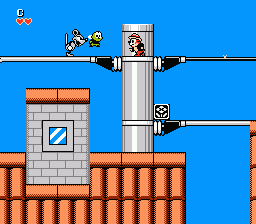
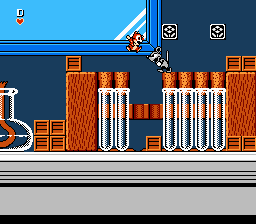
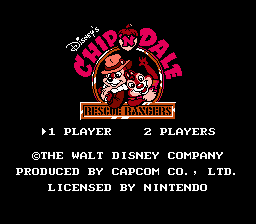
Released by Capcom in 1990, Chip ‘n Dale: Rescue Rangers is a beloved cooperative action-platformer for the NES based on the classic Disney animated series. Players take control of the titular chipmunk duo as they navigate oversized everyday environments—like kitchens and libraries—battling the mechanical creations of Fat Cat.

How to play

Unlike traditional platformers where jumping is your main attack, the core mechanic here revolves around picking up and throwing objects, primarily crates, to defeat enemies. The game features a fantastic simultaneous two-player co-op mode. You can use the following default keyboard controls:

  • Arrow Keys: Move and duck
  • X: Jump
  • Z: Pick up and throw objects
  • Enter: Start
  • Shift: Select

Tips

  • You can pick up and carry your co-op partner to help them across difficult jumps, but be careful not to accidentally throw them into a hazard.
  • Holding down while holding a crate allows you to hide inside it, which protects you from most enemy attacks and causes enemies to damage themselves if they walk into you.
  • Apples are heavier than crates; they do more damage, but you cannot jump as high while carrying one.
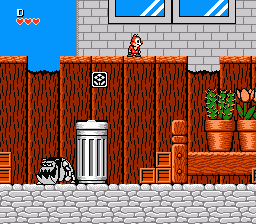
Screenshots:
Chip ’N Dale: Rescue Rangers Screenshot
Player Comments & Discussion: 0 Comments

Leave a Comment / Review:

No comments yet. Be the first gamer to sign the guestbook!