๐ŸŽฎ Play Carnage Online (DOS)

๐ŸŽฒ NEXT RANDOM GAME
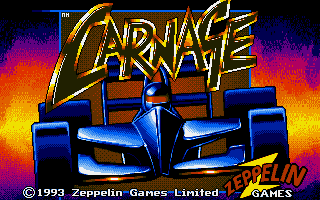
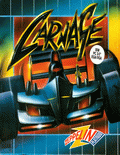
Carnage cover art
SAVE SLOTS:

๐Ÿ•น๏ธ GAME CONTROLS

Action / ButtonKeyboard Key
D-Pad (Up / Down / Left / Right)Arrow Keys
Button AZ or J
Button BX or K
Button X / Turbo AA or U
Button Y / Turbo BS or I
SelectShift
StartEnter

๐Ÿ’ก Tip: You can also connect any USB / Bluetooth Gamepad controller!

Game Rating & Player Reviews: โญ Not rated yet
โ€“
โ˜†โ˜†โ˜†โ˜†โ˜†
Be the first to rate
Rate this game (Click 1 to 5 stars):
โ˜… โ˜… โ˜… โ˜… โ˜…

✏️ Suggest an edit to Carnage

๐Ÿšฉ Report Issue with Carnage:

๐ŸŽฎ VISUAL CONTROLLER MAPPING & GAMEPAD DIAGRAM Auto-Detect: Active
L1 / LB R1 / RB SELECT START Y X A B RETRO ARCADE
Gamepad InputRetro FunctionKeyboard Key
D-Pad / AnalogCharacter Movement / Steeringโ–ฒ โ–ผ โ—„ โ–บ
Button A (East)Primary Action / Attack / FireZ / K
Button B (South)Secondary / Jump / CancelX / J
Button X / YSpecial / Turbo / Extra FireA / S
SelectInsert Coin / Select OptionRight Shift
StartGame Start / Pause GameEnter
Game info: ๐Ÿ‘๏ธ 122 plays
Carnage
box cover
Game title:Carnage
Platform:DOS
Author (released): Zeppelin Games (1992)
Genre:Racing
Mode:Multiplayer
Game size:249 kB
Emulator Core:DOS
Game Manual: ๐Ÿ“– Official Manual (Built-in)
Share Game:
License:Freeware / Abandonware
Available online emulators for Carnage:

Different online emulators are available for Carnage. Select an emulator core below for optimal performance:

Emulator Core EngineTechnologyMultiplayerGamepadTouchAdsAction / Switch
EmulatorJS (Default WebAssembly) WebAssembly / JSYESYES YESNO โ–ถ ACTIVE
MS-DOS (Recommended) WebAssembly / LibretroYESYES YESNO PLAY โšก
JS-DOS v3.0 / DOSBox Engine Emscripten C++YESYES NONO PLAY โšก
Game description:

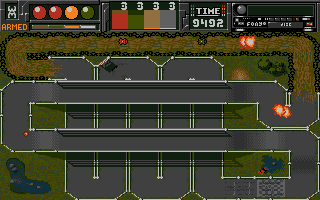
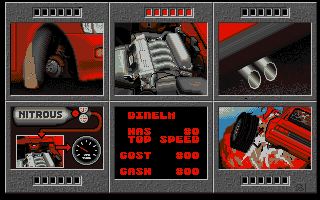
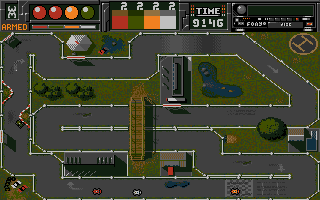
Developed by Zeppelin Games in 1992, Carnage is an action-oriented top-down racing game for DOS. It features fast-paced arcade driving across a variety of challenging courses and supports both single-player and local two-player modes.

How to play

Compete against opponent vehicles to finish first. You can steer and accelerate using standard DOS keyboard controls or a connected gamepad, which the game detects automatically. Two players can share a single keyboard or use individual pads. Press Right Alt + Enter to toggle fullscreen mode.

Tips

  • Learn the tracks: Courses do not provide advance warning for sharp turns, so you will need to learn the optimal braking points through trial and error.
  • Restart freely: Races are short, making it easy to restart immediately if you crash early while memorising a track layout.
Screenshots:
Carnage Screenshot
Carnage Screenshot
Carnage Screenshot
Carnage Screenshot
Player Comments & Discussion: 0 Comments

Leave a Comment / Review:

No comments yet. Be the first gamer to sign the guestbook!