🎮 Play Adventures of Captain Comic, The Online (NES)

🎲 NEXT RANDOM GAME
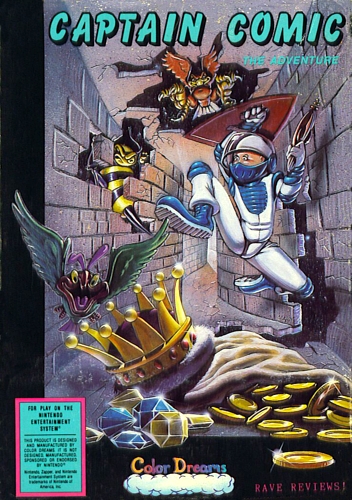
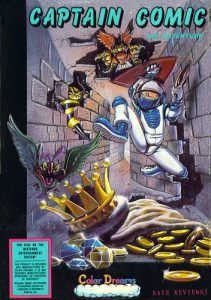
Adventures of Captain Comic, The cover art
SAVE SLOTS:

đŸ•šī¸ GAME CONTROLS

Action / ButtonKeyboard Key
D-Pad (Up / Down / Left / Right)Arrow Keys
Button AZ or J
Button BX or K
Button X / Turbo AA or U
Button Y / Turbo BS or I
SelectShift
StartEnter

💡 Tip: You can also connect any USB / Bluetooth Gamepad controller!

Game Rating & Player Reviews: ⭐ Not rated yet
–
☆☆☆☆☆
Be the first to rate
Rate this game (Click 1 to 5 stars):
★ ★ ★ ★ ★

✏️ Suggest an edit to Adventures of Captain Comic, The

🚩 Report Issue with Adventures of Captain Comic, The:

🎮 VISUAL CONTROLLER MAPPING & GAMEPAD DIAGRAM Auto-Detect: Active
L1 / LB R1 / RB SELECT START Y X A B RETRO ARCADE
Gamepad InputRetro FunctionKeyboard Key
D-Pad / AnalogCharacter Movement / Steering▲ â–ŧ ◄ â–ē
Button A (East)Primary Action / Attack / FireZ / K
Button B (South)Secondary / Jump / CancelX / J
Button X / YSpecial / Turbo / Extra FireA / S
SelectInsert Coin / Select OptionRight Shift
StartGame Start / Pause GameEnter
Game info: đŸ‘ī¸ 101 plays
Adventures of Captain Comic, The
box cover
Game title:Adventures of Captain Comic, The
Platform:NES
Author (released): Color Dreams (1988)
Genre:Action, Platform
Mode:Single-player
Game size:48 kB
Emulator Core:NES
Game Manual: 📖 Official Manual (Built-in)
Share Game:
License:Freeware / Abandonware
Available online emulators for Adventures of Captain Comic, The:

Different online emulators are available for Adventures of Captain Comic, The. Select an emulator core below for optimal performance:

Emulator Core EngineTechnologyMultiplayerGamepadTouchAdsAction / Switch
EmulatorJS (Default WebAssembly) WebAssembly / JSYESYES YESNO â–ļ ACTIVE
NES / Famicom (Recommended) WebAssembly / LibretroYESYES YESNO PLAY ⚡
Nestopia UE (Accurate) WebAssembly / LibretroYESYES YESNO PLAY ⚡
Game description:

The Adventures of Captain Comic is a 1988 action-platformer released for the NES by Color Dreams. As the titular hero, you explore the non-linear planet of Tambi to recover three stolen treasures. Notable as an early example of open-ended exploration on the console, it challenges players to navigate branching paths and find ability-granting items to progress deeper into the alien world.

How to play

Search the planet for tools like the fireball wand and jump boots to overcome obstacles and defeat enemies. You can control Captain Comic using the arrow keys to move, X to jump (A), and Z to shoot (B). Use Enter for Start and Shift for Select.

Tips

  • Find the key items early: Upgrades like the fireball wand are crucial; focus on locating these before venturing into the more dangerous zones.
  • Manage respawns: Enemies respawn immediately when you re-enter a screen. Take your time and clear a safe path rather than rushing blindly through tight corridors.
Screenshots:
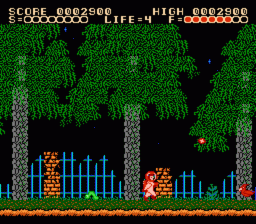
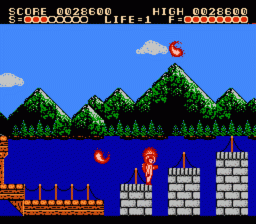
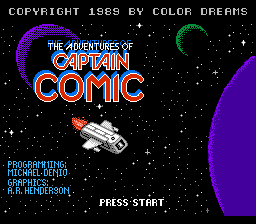
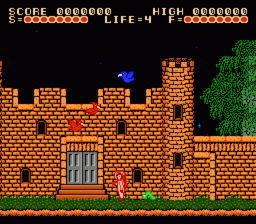
Adventures of Captain Comic, The Screenshot
Player Comments & Discussion: 0 Comments

Leave a Comment / Review:

No comments yet. Be the first gamer to sign the guestbook!