🎮 Play King’s Quest – Quest for the Crown (USA) Online (Sega Master System)

🎲 NEXT RANDOM GAME
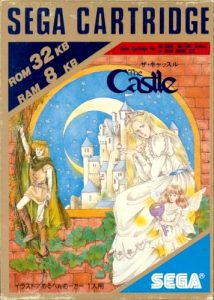
King’s Quest – Quest for the Crown (USA) cover art
SAVE SLOTS:

🕹️ GAME CONTROLS

Action / ButtonKeyboard Key
D-Pad (Up / Down / Left / Right)Arrow Keys
Button AZ or J
Button BX or K
Button X / Turbo AA or U
Button Y / Turbo BS or I
SelectShift
StartEnter

💡 Tip: You can also connect any USB / Bluetooth Gamepad controller!

Game Rating & Player Reviews: ⭐ Not rated yet
☆☆☆☆☆
Be the first to rate
Rate this game (Click 1 to 5 stars):

✏️ Suggest an edit to King’s Quest – Quest for the Crown (USA)

🚩 Report Issue with King’s Quest – Quest for the Crown (USA):

🎮 VISUAL CONTROLLER MAPPING & GAMEPAD DIAGRAM Auto-Detect: Active
L1 / LB R1 / RB SELECT START Y X A B RETRO ARCADE
Gamepad InputRetro FunctionKeyboard Key
D-Pad / AnalogCharacter Movement / Steering
Button A (East)Primary Action / Attack / FireZ / K
Button B (South)Secondary / Jump / CancelX / J
Button X / YSpecial / Turbo / Extra FireA / S
SelectInsert Coin / Select OptionRight Shift
StartGame Start / Pause GameEnter
Game info: 👁️ 110 plays
King’s Quest – Quest for the Crown (USA)
box cover
Game title:King’s Quest – Quest for the Crown (USA)
Platform:Sega Master System
Author (released): Unknown (1989)
Emulator Core:SEGAMS
Game Manual: 📖 Official Manual (Built-in)
Share Game:
License:Freeware / Abandonware
Available online emulators for King’s Quest – Quest for the Crown (USA):

Different online emulators are available for King’s Quest – Quest for the Crown (USA). Select an emulator core below for optimal performance:

Emulator Core EngineTechnologyMultiplayerGamepadTouchAdsAction / Switch
EmulatorJS (Default WebAssembly) WebAssembly / JSYESYES YESNO ▶ ACTIVE
Sega Master System (Recommended) WebAssembly / LibretroYESYES YESNO PLAY ⚡
SMS Plus GX WebAssembly / LibretroYESYES YESNO PLAY ⚡
Game description:

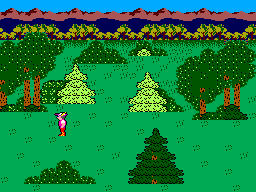
King’s Quest: Quest for the Crown is a classic 1989 graphic adventure for the Sega Master System, adapting Sierra On-Line’s groundbreaking PC game for console players. You control Sir Graham, a valiant knight charged by the aging King Edward with a monumental task: recover three lost royal treasures to inherit the throne of Daventry. This 8-bit port successfully translates the open-ended exploration and puzzle-solving of the original, replacing the text parser with a streamlined action menu that makes interacting with the fairy-tale world feel natural on a controller.

How to Play

Your objective is to locate and retrieve three magical artifacts hidden across the kingdom: a chest of endless gold, a magic mirror, and a protective shield. You must scour the environment for useful items and figure out how to use them to overcome legendary creatures like dragons, trolls, and giants.

  • Arrow Keys: Move Sir Graham and navigate menus
  • Z or X: Open the action menu, select commands, and interact with the world
  • Enter or Shift: Pause the game

Tips for Success

  • Map your surroundings: The kingdom of Daventry wraps around at its edges and many forest screens look alike. Sketching a quick map will help you remember where key locations and hazards are.
  • Take everything: Pick up any item you can find. Seemingly ordinary objects like a pebble, a walnut, or a bowl will prove essential to solving the game’s many puzzles.
  • Be careful around water: Sir Graham can easily drown if you wander too far into deep lakes or rivers. Watch your step when navigating near the water’s edge.
Player Comments & Discussion: 0 Comments

Leave a Comment / Review:

No comments yet. Be the first gamer to sign the guestbook!