🎮 Play Mr. Do!’s Castle Online (Atari 2600)

🎲 NEXT RANDOM GAME
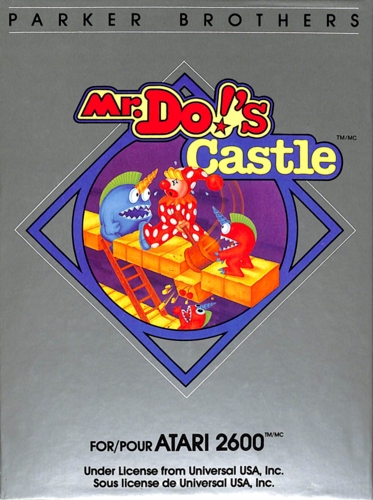
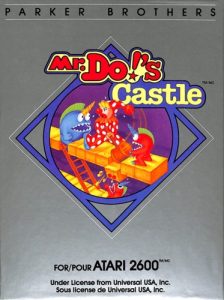
Mr. Do!’s Castle cover art
SAVE SLOTS:

🕹️ GAME CONTROLS

Action / ButtonKeyboard Key
D-Pad (Up / Down / Left / Right)Arrow Keys
Button AZ or J
Button BX or K
Button X / Turbo AA or U
Button Y / Turbo BS or I
SelectShift
StartEnter

💡 Tip: You can also connect any USB / Bluetooth Gamepad controller!

Game Rating & Player Reviews: ⭐ Not rated yet
☆☆☆☆☆
Be the first to rate
Rate this game (Click 1 to 5 stars):

✏️ Suggest an edit to Mr. Do!’s Castle

🚩 Report Issue with Mr. Do!’s Castle:

🎮 VISUAL CONTROLLER MAPPING & GAMEPAD DIAGRAM Auto-Detect: Active
L1 / LB R1 / RB SELECT START Y X A B RETRO ARCADE
Gamepad InputRetro FunctionKeyboard Key
D-Pad / AnalogCharacter Movement / Steering
Button A (East)Primary Action / Attack / FireZ / K
Button B (South)Secondary / Jump / CancelX / J
Button X / YSpecial / Turbo / Extra FireA / S
SelectInsert Coin / Select OptionRight Shift
StartGame Start / Pause GameEnter
Game info: 👁️ 106 plays
Mr. Do!’s Castle
box cover
Game title:Mr. Do!’s Castle
Platform:Atari 2600
Author (released): Universal (1983)
Genre:Action, Platform
Mode:Single-player
Game size:8 kB
Emulator Core:ATARI2600
Game Manual: 📖 Official Manual (Built-in)
Share Game:
License:Freeware / Abandonware
Available online emulators for Mr. Do!’s Castle:

Different online emulators are available for Mr. Do!’s Castle. Select an emulator core below for optimal performance:

Emulator Core EngineTechnologyMultiplayerGamepadTouchAdsAction / Switch
EmulatorJS (Default WebAssembly) WebAssembly / JSYESYES YESNO ▶ ACTIVE
Atari 2600 (Recommended) WebAssembly / LibretroYESYES YESNO PLAY ⚡
Javatari / Stella JS Engine WebAssembly / LibretroYESYES YESNO PLAY ⚡
Game description:

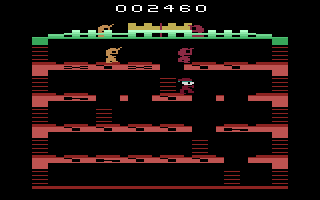
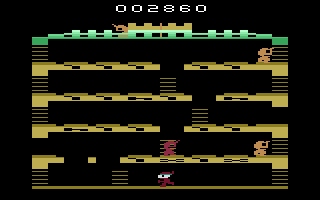
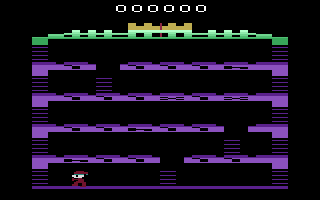
Released by Universal for the Atari 2600 in 1983, Mr. Do!’s Castle trades the digging of its predecessor for ladder-climbing action. Navigating a castle built of platforms, you must clear each stage either by collecting all the cherries scattered across the floors or by defeating the pursuing unicorn-like monsters.

How to Play

Use the arrow keys (↑↓←→) to move around the ladders and platforms, and the Spacebar to swing your mallet. Hitting a floor block containing a cherry will collect it, while striking a block above an enemy will drop it on them to safely eliminate them. Use F11 to select your game mode and F12 to reset.

Tips

  • Your mallet takes a moment to swing and recover, so time your attacks carefully when an enemy is approaching on the same level.
  • Use the layout to your advantage by luring multiple monsters underneath a block before dropping it for bonus points.
  • Prioritize knocking out the blocks with keys to temporarily turn the monsters into vulnerable targets.
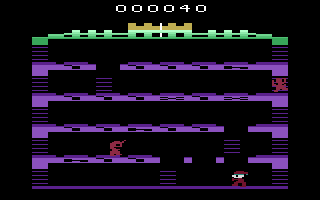
Screenshots:
Mr. Do!’s Castle Screenshot
Player Comments & Discussion: 0 Comments

Leave a Comment / Review:

No comments yet. Be the first gamer to sign the guestbook!